
System information
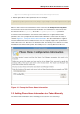
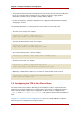
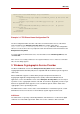
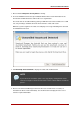
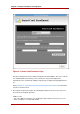
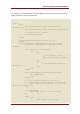
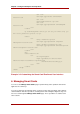

Figure 3.2. Smart Card Enrollment Page
The above illustration shows the default enrollment UI included with the TPS server. This UI
is a standard HTML form, which you can customize to suit your own deployment
requirements. This could include adding a company logo or adding and changing field text,
etc.
Refer to Section 5, “Customizing the Smart Card Enrollment User Interface” for information
on how to customize the UI.
5. The sample enrollment UI requires the following information for the TPS server to process
the smart card enrollment operation:
LDAP User ID
This is the LDAP user ID of the user enrolling the smart card; this can also be a screen
name or employee or customer ID number.
Chapter 3. Using the Enterprise Security Client
26