
AUDIO/VIDEO RECEIVER User's Guide



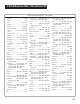

Table Of Contents
- Table of Contents
- First Things First
- Operating the Receiver
- Tour of the Receiver
- Programming the Remote
- Programming the Universal Remote
- Programming the Universal Remote to Control a TV
- Programming the Universal Remote to Control a VCR
- Programming the Universal Remote to Control An Audio Component
- Programming the Universal Remote to Control a Cable Box
- Programming the Universal Remote to Control a Laserdisc Player
- Programming the Remote to Control an RCA DSS® Receiver
- Programming the Universal Remote to Control a Satellite
- Programming the AUX Button on the Remote
- Appendix A: Connecting Your Receiver
- Things to Know Before Connecting the Components
- Using the Subwoofer Connections
- Connecting a TV and VCR
- Connecting an RCA DSS® Receiver
- Connecting a Laserdisc Player
- Connecting a Second VCR
- Connecting a Camcorder or Video Camera
- Connecting a Compact Disc Player
- Connecting a Tape Deck or Minidisc Player
- Connecting Antennas
- Connecting Speakers
- Main Speakers
- Rear Speakers
- Center Speaker
- Connecting Speakers to the Receiver
- Connecting The Subwoofer
- Appendix B: Speaker Placement
- Appendix C: Troubleshooting Guide
- Appendix D: Care and Cleaning
- Appendix E: FCC Information
- Appendix F: Limited Warranty
- Appendix G: Equipment Specifications
- Appendix H: Preset Station List Form
- Index

26
Programming the Universal
Remote
You can program the universal remote to control most
brands of remote controllable TVs, VCRs and cable
boxes. If you have an RCA, GE or ProScan VCR, you may
not need to program the remote at all. Other
manufacturer’s brands need to be programmed.
Programming the Universal Remote
to Control a TV
To determine whether you need to program the
universal remote, turn on the TV, point the remote at
the TV’s remote sensor and press TV. Then, press the
POWER, or CHAN UP or DOWN button to see if the TV
responds to the remote commands. If not, you need to
program the remote.
Follow these steps to program your universal remote to
control your TV:
1. Turn on the TV.
2. Look up your TV brand and code number(s) in
the code list on the next page or on the code
sheet packed with your remote.
3. Press and hold the TV button on the remote.
4. Enter the three-digit code from the code list.
5. Release the TV button, then press POWER to
see if the TV responds to the remote
commands. If not, try pressing TV then
POWER.
6. Repeat steps 3 through 5 using the next code
listed for your TV brand until the TV responds
to the remote commands.
Programming the Remote
This remote may not operate all
models of the brands shown.
If a battery is removed from the
battery compartment of the
remote control, all control key
functions will return to the
original mode.