
User's Guide

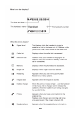


Handset
layout
Installation
and
Set
-up
Fit
the
rechargeable batteries in each
handset
1
)
Install the
AAA
batteries
(
B
r
and
na
m
e
:
CORUN, C
apa
ci
t
y
:
Ni-MH
1
.
2
V
/
550
m
A
h
,
or Brand
na
m
e
:
S
A
N
I
K
,
C
apa
ci
t
y
:
Ni-MH
1
.
2
V
/
550
m
A
h
)
into handset in
accordance
with the polarity marked in the
ba
tt
e
r
y
compar
tment
.
2
)
Close
the battery compartment
cover
,
sliding
it into
place
and pressing
firmly to
make sure
it
is
secure.
Connecting AC (electrical)
power
Plug
the
base power
adaptor
(
T
y
p
e
:
IA5060 120
V
a
c
/
6
V
d
c
/
500
m
A
)
cord into
the power
jack
on rear
panel
of the
base
and the other
end
into a 120Vac
60Hz electrical
outlet
.
Before
you
use
the
cordless handset
for the first
time, it‟s
important to
charge
the
batteries
fully.
Leave
the
handset
on the
charging cradle
for 16
hour
s.
The
battery
charge
symbol will
blink when
you're
charging
an empty
battery.
If you think that the symbol
isn't showing
the correct battery
charge
level,
first
check
that the
handset is
correctly
positioned
in the
charging
cradle.
If
you‟re sure
that it
is, remove
and refit the
batteries. Please
note that it's
normal for the
mains
adaptor to
become
warm this
doesn't indicate
a
fault
.
CAUTION: Use only
the
power supply
that
came with this
unit
.
Using other power supplies
may
damage
the
unit
.
Base
adaptor type
is IA5060, USA
plug, 120Vac/6Vdc/500mA;
Charge
adaptor
is IA1560, USA plug,
120V
ac/6V
dc/150mA
.
Telephone
Operations
Switching
on/off
Press
and hold the
HANG-UP
key for more than 2
seconds
to switch on/off
the
handset
in
idle
mode.
**
You
can switch the
handset
off and
save
battery charge.
Notes: When
the
handset is OFF,
it
cannot be used for
making
calls including emergency calls. There will be no ringing
during
an
incoming call. To answer
a
call, you will need
to
switch
it