
Specifications




Chapter 6 - Punching and Automated Recording
ADAT LX20 Reference Manual 47
If Locate 2’s position is later than Locate 3’s position, the TIME counter will
temporarily read “invALid”.
Initiating record past Locate 2’s position but before Locate 3’s position starts
recording immediately. Initiating record after Locate 3’s position has no effect, and
the transport remains in play mode.
LOOPED RECORDING
You can use the Auto Return and Auto Play functions (see Chapter 5) with Auto
Record to create a recording loop. So, you can record a take over and over until you
get it right. Simply set Locate 1 to a position before Locate 2, and Locate 4 after
Locate 3.
REHEARSING
Rehearse mode allows checking the accuracy of punch points without actually
entering Record mode. This way you can try out your punch locations first without
recording over anything. At the punch-in point, record-enabled tracks will switch
from tape monitor to input monitor. At the punch-out point, record-enabled tracks
will resume monitoring the tape signal.
Auto Input must be enabled for rehearsal mode to work.
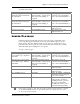
Operation You press… You see…
Enable Rehearse mode Rehearse button Rehearse label lights in display.
Start rehearsal Play and Record (or
use footswitch)
Record light flashes while
rehearsing the punch
Disable Rehearse mode Rehearse button Rehearse label turns off
You can edit the punch in and out points by editing Locations 2 and 3. See Chapter 5, “Locate
Points”.
✪
✪