
Operating instructions
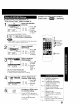


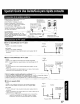


1
ACTION
CD
Display MAIN
MENU. 1
Press ACTION.
ACTION
CD
Display MAIN
MENU.
Press ACTION.
2
language _v _ _ _GE/
selection icon.
1 Press Ay_I• _.
to select.
2) Press ACTION J
Display SET
CLOCK screen.
1) Press A_!"_ •
to select "CLOCK."
2) Press ACTION.
1FV°L r CH
.C) _=C3
__+
,C:3
repeatedly to set.
English:LANGUAGE 3
Spanish:lDIOMA
French:LANGUE
End setup.
ACTION 1) Press JI,V4 •
C_ to select "EXIT."
2) Press ACTION
to exit.
SET CLOCK
AUTO CLOCK SET
TIME ZONE ADJUST :0
SELECT:& • KEY
SET :" KEY
END :ACTION KEY
Display SET
CLOCK menu.
1) Press _i,V to
select "MANUAL."
2) Press • to set.
• For Auto Clock Set, select "AUTO CLOCK SET"
then press • to set and CH • to start.
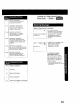
1
ACTION
CD
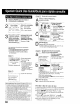
MENu.DisplayMAIN 4
Press ACTION.
MAIN MENU
S_q'LECT !AAC_,I_NIP'KE"EY
Display SET UP
CH screen,
1) Press AY< •
to select "CH."
2) Press ACTION
to display.
_NNEL
CIwHE_N_ _GCNA_TIcOl_pL_y :OFF
SELECT:A • KEY
SET :_ KEY
END :ACTION KEY
Select ANTENNA. 5
1) Press AY to
select.
2) Press • to
select your
antenna system
("TV" or "CABLE.")
SETUPC.AN_ Select AUTO
NTENNA : CABLE SET.
_CAET_O_ 1) Press &_' to
WEAK SIGNAL DISPLAY:OFF select.
sETSELECT:&:_•KEyKEY 2) Press • to sta_.
END :ACTION KEY
I ACTION
End setup.
Press ACTION
twice.
SET CLOCK
/1\ DST:ON
SELECT r& • KEY
SET :_ KEY
END :ACTION KEY
Set the clock
manually.
1) Press AY to
select the month.
2) Press • to set.
• Likewise set date, year, time, and DST.
(Daylight Saving Time)
To Make Corrections,
repeatedly press • • to move to error, then correct.
ACTION
CD
End setup.
Press ACTION
twice to start the
clock and exit this
mode.
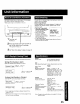
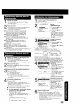
Add or Delete a Channel
To add channel:
Select channel with
NUMBERED keys
and press ADD/DLT.
CHANNEL 08 ADDED
To delete channel:
Select channel with
CH _V or
NUMBERED keys
and press ADD/DLT
CHANNEL 08 DELETED