
Operating instructions
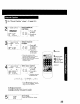
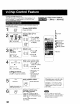

When "ON" is selected, picture is displayed even when a
broadcast signal is weak or nonexistent.
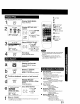
MAIN MENU
screon
Display MAIN MENU.
Press ACTION.
Display SET UP CH
ACTION
CD
1) Press ,&V4
to select "CH."
2) Press ACTION
to display.
IA SET UP CHANNEL
ANTENNA : CABLE
UTO SET
Select WEAK SIGNAL
DISPLAY.
_. 1) Press A, to
r_°: r_) select.
,o _ _ 2) Press II_ to
set "ON" or
L
"OFF."
Q
• "ON" - Picture is displayed regardless of signal condition, and
may not always be clearly visible.
"OFF" - Screen turns solid btue when signal is absent or weak
• If unit is connected to equipment which has blue back feature,
selecting "ON" will have no effect on the other equipment.
2SELECT/SET
•_ A:CH UP
_V :CH DOWN
• :VOL UP
• :VOL DOWN
1
ACTION
[ ACTIONCZ)
Return to the normal
screen.
Press ACTION twice.
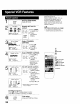
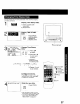
All operations are prohibited except Timer recording and tape
eject. Useful for families with small children.
1 To turn "ON."
(_ i instopmode, hold
VCRLOCI4ACTIVATED down REC on the
unit without a
cassette inserted for
7 seconds.
VCR LOCK OFF To turn "OFF."
Repeat above with
or without cassette.
• VCR Lock is canceled automatically
after about 24 hours if clock is set.
28
I I!iliJiiiiii!iiiiiiiiiiiii
REC