
Operating instructions
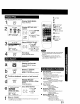
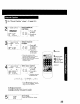
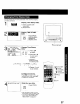
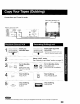
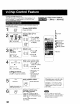

You may change the time stamp data (Date, Time, Channel, Category,
and Notes) as desired
1
Display Time Stamp Data.
1) Insert cassette with
j record tab.
2) Press PLAY.
2
Display TIME STAMP
EDIT.
Press PROG
PROG while the data is
CC)
playback mode.
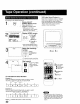
f TIME STAMP EDIT 1
DATE : 12127/1999 MON
TIME : 12:SOPM - I:OOPM
CH : 08 A_
CATEGORY : MOVIE
N2TES:._M?_!_L_DV,E....
SELECT:A • KEY !
SET :_ • KEY
END : PROG KEY
Change Time Stamp
Data.
v_. i-cM
,C) -=C)
1) Press AV
to select.
2) Press • or •
to enter and
continue.
• Characters in
NOTES will change
in the following order.
_'-A-- B--C ...... Z- BLANK-- - --&_
*9 2-1-0--/--! ÷ J
3) Repeat 1) and
2) as needed.
To Make Corrections
Press • • to move to the
incorrect entry, then press AV
to make the correction.
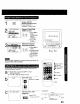
WRITING TIME STAMP Write the new data.
Press PROG.
PROG
C:)
• After the data is written, the unit
automatically goes into Stop mode
• You cannot use POWER or REC
button while "NOW WRITING
TIME STAMP" is displayed.
1
I liiii ii !ii iiiiiiiiiiiiiiii
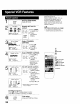
AY/REPEAT
SELECT/SET
:CH UP
• :CH DOWN
• :VOL UP
• :VOL DOWN
1PLAY
27