
Operating instructions
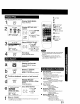
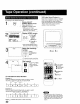
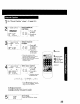
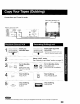

This unit writes program data (see example below) for about the first 10
seconds of every recording.
The information is then displayed the first 10 seconds of playback. To
change the data, see "Changing Time Stamp Data" section on next page
1I lo,so,.,o.,.-u
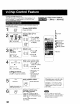
(_ Press ACTION.
I MAIN MENU
SELECT:& • _1 • KEY
SET :ACTION KEY
Display SET UP VCR
screen.
1) Press ,l.y4 It,.
,_8 _ to select
_ ;_ "vcn,"
2) Press ACTION
ACTION to display.
CZ)
[_lPcheck list before you begin.
The clock is set to correct time.
[] The record tab is in place.
3[. ::l
REPEAT pLAY : 0
TIMER PRQGRAMMING
II =_Jl_,lWZll,r
SELECT:,& • KEY
SET :l,. KEY
END :ACTION KEY
Select TIME STAMP.
-- oo I 1) Press kV to
I;c_ [¢:_ select.
i _'_::_! "_::)] 2) Press • to set
L J "ON" or "OFF."
• When "OFF" is selected, the
program data is written on the
tape, but will not be displayed.
I ACTION
(Z)
Return to normal
screen.
Press ACTION twice.
<Time Stamp Example >
Normal/One
Touch Recording
Timer
Recording
When Clock
is not set...
SELECT/SET
2,A:CH UP
3V:CH DOWN
• :VOL UP
• :VOL DOWN
"1ACTION
2
4
26