
Operating instructions
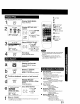
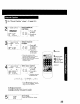
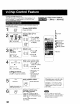

Do "Preset Caption" steps 1-3 (page 24.)
2
Select MANUAL
CAPTION.
CHANNEL CAPTION
PRESET CAPTION
SELECT;A • KEY
SET :_ KEY
END :ACTION KEY
1) Press_,_"
_::_ =r°(:_ to select.
,_ =o 2) Press•to
display.
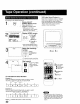
3
MANUAL CAPTION
CH NUMBER CAPTION
SELECT:& • KEY
SET :_ KEY
END :ACTION
Select Channel
number.
-- 1) Press Ay
I F veL r ¢H
,_:D _9 to select CH
t _6 NUMBER.
i,o 2) Press • to
move cursor
to the right.
• Channels already set and
channels deleted from Channel
Memory are not displayed
• You can set a total of ten channel
captions with up to four
characters each.
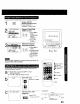
MANUAL CAPTION
OH NUMBER CAPTION
02 _---
CLEAR :ADDIDLT KEY
SELECT:& • KEY
SET :, b KEY
END :ACTION KEY
Enter your caption.
-- ] 1)PressAT
.o i tese,ect
_ + _ _ ,
,_ 2) Press• to
, enter.
• Characters change in
the following order.
_* A B C .... Z- BLANK-- - &"--q
J
"9 2-1 0--/ !÷--
• Press • repeatedly to move the
cursor to "OH NUMBER." Repeat
steps 3 and 4 as desired.
To Make Corrections
Press A_', then • to select channel number.
Press AV to change, or ADD/DLT to delete.
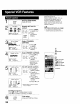
....5ACTION
J
SELECT/SET
3A:CH UP
V:CHDOWN
4,:VOLUP
":VOLDOWN
ADD/DLT
ACTION
CD
End setup.
Press ACTION four times.
25