
Operating instructions
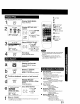
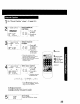
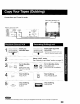

Choose a timer recorded program from a Program Index List.
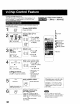
1 SEARCH Display SELECT
SEARCH MODE screen.
Press SEARCH in
Playback or Stop mode.
SELECT SEARCH MODE
2
ZERO SEARCH
INDEX SEARCH
SELECT:A • KEY
SET :_ KEY
END :SEARCH KEY
Display PROGRAM
INDEX screen.
; 1) Press AT to
r _ r0. . select
= * _ " "PROGRAM
;'c_ _6 i INDEX
SEARCH."
2) Press•to
display.
PROGRAMINDEX Select the desired
1"_[_] recorded program.
1/ 4 S:O0PC0MEDYeEc F 1)PressA_'to
1/ 7 3:copMUS,C NaC [_ ro ' select.
SELECT:,& • KEY
S_RCH:_KEY _ !_ 2) Press • to start
END : SEARCH KEY the forward or
rewind search.
• When search is
finished, playback
begins.
I C PLAY/REPEAT
TOP/EJECT
__' !iiiiiiiiiiiiiilliii!iii!
....
When the tape is ejected or normal recording is started, all
program index data are deleted.
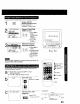
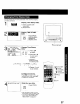
In Play mode, the first 10 seconds of each recording can be
scanned (forward or reverse.)
a l) Repeat step 1 and press AT to select
"INDEX SEARCH/'
2) Press • to display INDEX screen.
INDEX
Start the scan.
Press FF or REW.
m
or
SELECT/SET
&:CH UP
r:CH DOWN
al_ :VOL UP
1SEARCH
FF or REW
" STOP
AUTO INDEX SEARCH Cancel scan, start
playback.
Press PLAY.
• To stop, press STOP.
<Example>
Start here
ST_O p _ Indexed Point
_ Play If or about I0 Seconds)
Fasl ForWard or gtewind
23