
Operating instructions

I ACTION
0
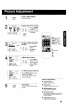
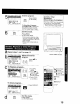
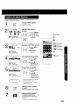
Display MAIN MENU.
Press ACTION.
Closed Caption is ...
This multi use system not only allows the
hearing impaired to enjoy selected
programs, but also makes useful information
from TV stations available to everyone.
1 _MAIN_ _L_I GE
SEJ.ECT:A Y _1_ KEY
SET :ACTION KEY
Display SET UP TV
screen.
1) Press AV< I_
Z_ _ to select "TV."
_:_ !(_::) 2) Press ACTION
to display.
ACTION
CD
SET UP _/
LOCK
31
l SELECT:&• KEY
SET :b KEg
ENI9 iACTION KEY
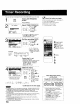
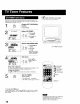
Display CAPTION screen.
I - 1) Press .&Vto
r'= r_, select.
",o+ =(;D:" 2) Press I_ to
display.
4
CAPTION
SELECT;, • KEY
SET :1_KEY
BND :ACTION KEY
/,--,._OFF..---_CAPCI--._
TEXTC2 TEXTCI
J_------CAP02----#
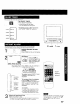
Select CAPTION MODE.
1) Press ,&V to
,_c_ £'c_1 select.
_:3 -_612)Press I_
repeatedly to
select caption
mode.
I ACTION
Return to the normal
screen.
Press ACTION three times.
Recording and Playing Back a Closed Caption/
Text Program
Record:
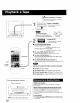
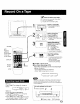
Record normally Closed Caption/Text signal, if present, is recorded
automatically.
Playback:
Start playback Do above steps to select desired caption mode.
18
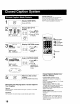
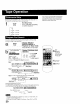
3A:CH UP
Y:CH DOWN
411_ :VOL UP
_1:VOL DOWN
"1ACTION
2
5
Closed Caption Modes from
which to Choose
Caption Mode: CAP C1 or 02
A narration of selected TV programs is
displayed
Check TV program listings for C C. (Closed
Caption) broadcasts.
Caption Mode: TEXT C1 or C2
The lower half of the screen will be blocked
out. When the TV station broadcasts
information, such as program listings, it will
appear in this space.
Caption Mode: OFF
Closed Caption/Text narration wi# not be
displayed
NOTE:
The closed caption or text signal rosy be
broadcast over C1, C2, or both. Also, text
contents can vary so you may wish to try
different settings.