
Operating instructions
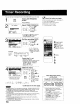
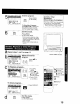
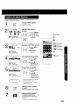

This unitcan be set 1orauto power off.
! Set SLEEP TIMER.
R Press SLEEP repeatedly.
• Pressing DISPLAY with sleep
' timer set displays remaining time.
SLEEP TIMER 30
SLEEP TIMER 60
SLEEP TIMER 90
SLEEP TIMER O0
To Cancel, press SLEEP repeatedly
until "SLEEP TIMER 00" appears.
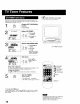
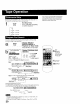
The feature allows you to set a timer alarm for up to 60 minutes.
Useful for when you are cooking and need to leave the kitchen.
-- T,_rR -- Display INSTANT ALARM
screen.
i F_ Press TIMER on the unit to display.
2
5:20PM
sETCANC_L:AA[D/KDLETyKEYuO_
Remaining Time
1:00 one minute}
t
200
i one-minute
300 increase
until 10:00
: 1000
150o five-minute
2co0 increase
: 25o0 until 30:00
30:00 J
i
' ten minute
, 4000
i 5000 increase
until 60:00
00 (Max} J
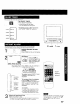
Set Alarm.
[dol ressC ''on
the unit to select time
while "CANCEL" and
"SET" are displayed
(see below.)
Press TIMER on the unit repeatedly to
change display as follows.
To cancel, press ADD/DLT while
"CANCEL" and "SET" are
displayed.
To increase timer in progress,
Press CH &Y on the unit to
restart countdown rounded up to
next 1, 5, or 10 minute interval
while "CANCEL" and "SET" are
displayed.
<Example>
• _f current time remaining is 12:15.
countdown will restart from 15:00
• If current time remaining is 9:15,
countdown will restart from 10:00
Alarm will sound at O:00.Press any button to stop,
• The volume of the alarm gradually increases for one minute
and then continues to beep until any button is pressed.
I I i'ii i!i !iiiiiiiiiiiiiii
2 CHAY 1TIMER
SLEEP
DISPLAY
ADD/DLT
O
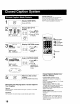
While timer function is in progress, you can
change channels on the unit with CH AV
while "CANCEL" and "SET" are not
displayed
17