
Operating instructions
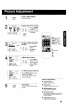
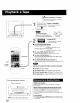
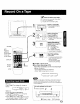
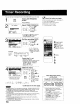
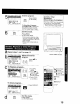
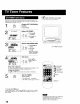
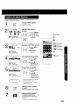

This unit can be set to automatically power on in one of 2 modes (TV,
Playback) You can also combine the On-Timer with a one minute alarm
that gradually increases in volume.
PROG I Display SET PROGRAM
(_ screen.
_ Press PROG.
2
SET PROGRAM
_ING
SELECT:& • KEY
SET :l_ KEY
B*qD :PRQG KEY
Select ON-TIMER.
I
,o _9! 1)PressAY
r'o_ re. to select.
/P,ess,to
display.
Set the ON-TIMER TIME.
1) Press AV to
.% :_1 select.
,_(:__'C:::,I 2) Press•
[ to set.
• Make sure a tape is
inserted if Playback
mode is selected.
_lPCheck list before you begin.
[_ The clock is set to correct time.
I ]iiii!!iiiiilFJ!!!J!!f!iiiiii
ON TIMER indicator
ON TIMER
CANCEL : ADD / DLT KEY
SEI_CT:A • KEY
SET :, I- KEY
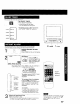
Set Alarm.
1 Press AV to
rv_ re ' select"ON" or
+- _: "OFF."
,CC_ ---C:3
When "ON" is selected,
an alarm willgradually increase in volume for one minute or until
canceled by pressing any button (including VOL + -.)
To Make Corrections,
use AV and ,111• to move back and correct as necessary.
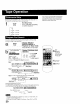
1 PROG 1 Set ON TIMER.
Press PROG
CZ)
i
] • "ON TIMER SET" is displayed
• ON TIMER indicator lights on the unit.
2SELECT/SET
,• :CH UP
_V:CH DOWN
4• :VOLUP
• :VOL DOWN
PROG
ADD/DLT
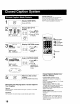
To cancel ON-TIMER set,
Repeat steps I and 2. Then, press ADD/DLT to clear the time in step 3
Now, press PROG to end. "ON TIMER END" appears on screen for a
few seconds.
16
0
If no button on the remote or unit (including
a button used to turn off the alarm) is
pressed within 60 minutes after unit turns
itself on, it will turn itself back oft