
Operating instructions
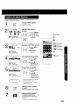

5i 1Enotheprogram
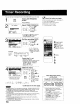
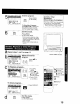
Press PROG
---?_'_-iii ---?!i_--i.: -: PROG (or ACTION.)
SELECT 1-8:A • KEY
ENTER :1,- KEY
END : PROS/ACTION KEY
To Enter More Programs
Press AV and • to select and
set a blank program number,
and then repeat steps 3 and 4.
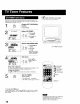
] Exit this mode.
/
Press PROG
(or ACTION) twice.
• If you're using a cable box, make
sure that it is turned to the desired
channel and the power is left on for
timer recording.
• PROG TIMER indicator lights on
the unit.
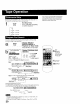
a Repeat steps 1 and 2 on page 14.
b _2 S 1S:OO_tIS:OO_1SS SP /
3 10 8:00p S:OOp 10 8P l
4 SU s:OOplO:OOp L LP
CANCEL :ADD/OLT SEY
SELECT l-S:*" • KEY
ENTER :)* KEY
END : PROG/ACTION KEY
Select the desired
program.
I Press AV to
l F v°L rcM
;_ _9 select.
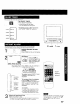
C To Replace program...
START STOP
r_ r cH
CATEGORY:MOVIE _C_ _0
NOTES: STAND BI,ME
SELECT:& • KEY PROG
SET :< _ KEY
END :PSOG/ACTION KEY
1) Press•to
display.
2) Press _lkY to
select and • or
• to set new
program contents,
3) Press PROG
(or ACTION.)
To Clear program...
P DT START STOP OH GPD 1
2 S 10:OOp12:OOa12s SP
3 10 S:OOp 9:00p 10 SP
4 eu 9:OG_IO:OO_ L LP
SELECT l-E:& • KEY
ENTER :_ KEY
END :PROG/ACTION KEY
Press ADD/DLT.
d l PROG
CD
] Exit this mode.
Press PROG
(or ACTION) twice.
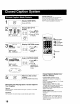
Cancel a Timer
Recording:
(Recording is in progress)
Hold down STOP for a few seconds
to cancel the Timer Recording.
• Any future daily or weekly recordings
will be pedormed as programmed.
I Iiijj!ii.liiii!i
I
I
t
PROG TIMER indicator
bSELECT/SET
• A:CH UP
• :CH DOWN
• :VOL UP
• :VOL DOWN
',PROG
a
"CADD/DLT
STOP
15