
Operating instructions
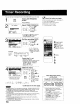
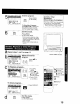
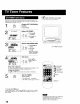
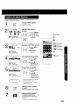

You can set up to 8 programs to be recorded while you are away.
PROG Display SET PROGRAM
i _ i screen"
Press PROG
2
sET PROGRAM
ON1]MER
SELECT:A • KEY
:_" KEY
END :PROG KEY
Select TIMER PROGRAM.
1) Press ,&V
rvct FC_
] ,(D =O I tO select.
.o =¢P 2) Press•to
I display.
• If a program is already m memory,
press Air, and • to select an
unused program number.
[_l_Check list before you begin.
[_] NI connections are made (See page 73
[_] Your unit is pJugged in.
[_ The clock is set to correct time
[_ The tape is long enough.
[_] The record lab is in place
STARTSTOP ce: Set the recording DATE.
I r_ _ to select.
I_ _(2:_-_6 2) Press • or •
I J to set.
[ ESNE_D ;:_KEYAcTION KEY =
• t-31 = Orqe time
• DAILY = MON-FRI
• WEEKLY SUN~SAT
ExamJ_]_ (.*s-a.....,. 3_-- _-- 2..,.. e-_ = weekSametime once a
/
Today's 7 SELECT A I • Selection Order DAILY
Date _._WEEKLY WEEKLY WEEKLY.,._
SAT) (MON) (SUN)
Repeat step 3 to set:
• start time, stop time
• Channel (or LINE for outside source)
• Category [N/A (not applicable),
SPORTS, MOVIE, COMEDY,
MUSIC, DRAMA]
• Speed (SP, LP, SLP)
2SELECT/SET
3A :CH UP
'V :CH DOWN
4_' :VOL UP
• :VOL DOWN
5
6
........
W!_! TO !pM4AR(_K_!;E::K_EyY j
• Characters will change
in the following order
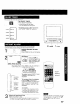
Make the notes.
(If not wanted, go to step 5)
o- _ 1) Press&to
r r t
,o -_o' begin.
_÷ _:
i :(2:) _C:::, 2) Press Ay to
' select,
PROG 3) Press • or •
O to set.
4) Press PROG
(or ACTION)
to end.
_*A B--C- - Z-BLANK --&*-_
+9 - 2 1-0--/--! *_-
Continued on the next page.
• 2 minutes before Timer recording is performed, "PLEASE PREPARE FOR
TIMER REC" appears and/or the PROG TIMER indicator flashes. Be sure
a cassette with record tab is loaded and the unit is in Stop mode.
• If the start times of two programs overlap, the lower numbered program
wi}l have priority.
• If the start time for a Timer Recording comes up during a normal recording
or One Touch Recording (page 13), the Timer Recording will not be
performed,
• If there is a power interruptionof more than one minute, the recording
may not be performed or continue
• If "INCOMPLETE" appears after all items have been set. check all entries
and make necessary corrections
14
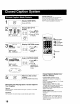
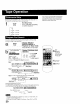
__ Timer Recording Using __
unit Buttons
You can set a Timer Recording using
ACTION key on the unit. (See page 9.)
dbs . l
E]E) j
J Press STOP/EJECT and REW
together without a tape inserted to
display MAIN MENU
2 Press A,V + - to select "VCR"
and STOP/EJECT and REW together
to display SET UP VCR screen
Press A'V to select "TIMER
PROGRAM" and + to display the
TIMER PROGRAM screen.
!l Repeat main sleps 3-6