
Operating instructions

(F
ACTION
\\
SET/
SELECT
A:CH UP
v:CH DOWN
I_:VOL UP
4 :VOL DOWN
DISPLAY
PAUSE/ 3
SLOW SPEED
STOP
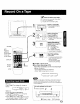
[_lPCheck list before you begin.
[] All connections are made. (See page 7)
[_ Your unit is plugged in.
[] Cassette with record tab in place
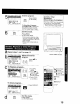
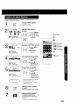
Insert a cassette.
• The unit power comes on
automatically.
2I;s
6_ L
Select Channel.
Press CH AV, or
NUMBERED keys.
• To select "LINE," see bottom
of this page.
3
SPEED
CD
Select Recording
speed (see page 6.)
Press SPEED.
SP = Standard Play
LP = Long Play
SLP = Super Long Play
• Selected speed is displayed
Start Recording.
Press REC.
• To edit out unwanted portions,
press PAUSE to pause and
resume recording.
• You cannot view another
channel during recording.
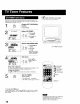
• To stop .--)Press STOP
• One Touch Recording (OTR)
Press REC repeatedly to set the recording length
(30 min - 4 hours.)
• The unit stops recording at a preset time.
• PROG TIMER indicator lights on the unit.
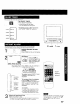
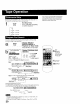
Method 1:
Press CHAr. The display will change as
fellows. 14--_2_,_-3_,-
_--* (CABLE) (TV)--_
".--,.LINE..._---._125 or 69•._"
Method 2:
a Press ACTION for MAIN MENU.
b Press AV4 • to select "TV', then press
ACTION for SET UP TV screen,
o Press AV to select "INPUT SELECT." and
then press • to select "TUNER" or "LINE."
d Press ACTION twice to exit this mode
• After the unit has been in Rec Pause mode for 5 minutes, it
wilt stop automatically to protect the tape and video head
• The remaining recording time of an OTR can be displayed by
pressing DISPLAY
You can operate on the unit
1Insert a cassette, 2 4
• Press to stop. REC Indicator
13