
Operating instructions

c_
TRACKING
FF
STOP
1
[_lPCheck list before you begin.
[_ All connections are made (See page 7.)
_] Your unit is plugged in.
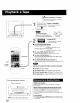
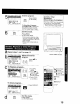
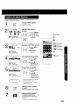
Insert a cassette.
•Ttle unit power comes on
automatically.
O
To prevent tape jam
Inspectyour cassette tapes and
remove any loose or peeling labels.
X
2l jPr°s'P'A
• Playback begins it cassette
has no record tab.
• To Find a Particular Scene
Forward Search --) Press FF
(To release, press PLAY or FF)
Reverse Search _ Press REW
(To release, press PLAY or REW)
• To view a Still (Freeze) picture --)
Press PAUSE/SLOW (To release, press PLAY)
• To view in Slow Motion .,->
Press and hold PAUSE/SLOW in the Stilt mode
(To release, press PLAY)
• To view Frame by Frame Advance --->
PressPAUSE/SLOWinthe Still mode(Torelease,pressPLAY)
After the unit is in Still or Slow mode for 3 minutes, it will switch to
Stop mode automatically to protect the tape and the video head
• To stop _ Press STOP
• To rewind tape -) Press REW in Stop mode
• To fast forward tape .-,>Press FF in Stop mode
• To eject tape -->Press STOP/EJECT on the unit
fYou can operate on the unit.
Insert a cassette.
Press PLAY. !
!
4 ....... l_ 4
• Press to stop and/or eject tape.
12
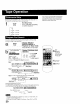
_Di_qitalAuto Tracking
Continuously analyzes the signal and adjusts for optimum
picture quality.
ManuaITrackin Co trol to redu e icture noise}
Use during Playback and Slow Motion mode to reduce picture no=se.
Press the 3 or 6 NUMBERED key on the remote control or
CH (TRACKING) AT on lhe unit until the picture clears up.
TO return to Aulo Tracking, press POWER off, then on again a few
seconds later
V-Lock Control
In Still mode, the 3 or 6 NUMBERED key on the remote control
or CH (TRACKING) AT on the unit operate as a V-Lock control
to reduce jitter