
User's Manual




EN-17
Notications Panel
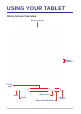
To view your recent notication(s), simply access the Quick Menu &
Notications screen. The notication(s) will appear on the top of the screen.
Notication(s)
Number of
notications
• To open related app, tap a notication.
• To directly close a notication (without viewing), simply tap and hold the
notication and drag it to the left/right side of the screen.