
Installation Instructions





EN-30
Adding a Bluetooth Device to Your Tablet
You can connect multiple devices to your tablet through Bluetooth including a
mouse, keyboard, speaker, or headphone.
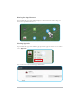
1. From the Home screen, tap Settings (
).
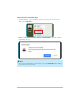
2. In Bluetooth, tap Bluetooth to enable the function. Then tap
X
to view other
Bluetooth devices.
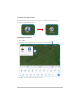
3. Tap a detected device listed under “Unpaired devices”. Then follow the
on-screen instructions to start pairing.
Once the device has been successfully paired, it will appear under “Paired
devices”.
Tip
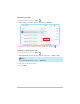
To unpair a Bluetooth device, select the paired device you want to unpair,
and then tap Remove from list.