
Instruction Manual




Chapter 1 Overview
1-7
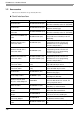
USB Host Interface
CF Card Items
Only the ST-3400/3500 Series support a CF Card interface.
MPI Cable
ST03-A2B-MPI21-PFE
(3.5m)
CA3-MPI-PGN-PFE(3.5m)
CA3-MPI-PG1-PFE(3.5m)
The interface cable that establishes MPI-
communication between each of the hosts
and the ST3000 Series.
RS-232C Isolation Unit CA3-ISO232-01
Connects a host controller to the ST and
provides isolation. RS-232C / RS-422
switching unit.
Product Name Model No. Description
USB Transfer Cable CA3-USBCB-01 (2m)
Downloads project data created with the
Screen Editor via the ST unit’s Serial I/F.
USB Cable FP-US00 (5m) Connects a USB printer. (TYPE-B)
USB Front Cable CA5-USBEXT-01 (1m)
Extension cable attaching USB port to
front panel.
USB-Serial (RS-232C)
Conversion Cable
CA6-USB232-01 (0.5m)
Cable for converting a ST unit's USB
interface into a serial interface (RS-232C).
Allows connection to modems
*1
or
barcode readers
*1
that support RS-232C.
Can be used to transfer project data
created with the Screen Editor via a serial
interface.
*2
*1 For supported models, refer to Pro-face’s support site “Otasuke Pro!”
(http://www.pro-face.com/otasuke/).
You can connect to this site by clicking the GP-Pro EX’s [Help (H)] menu - [Connect to Support Site-
“Otasuke Pro!” (C)] command.
*2 Requires an RS-232C cable (prepared by user) for connection. For details regarding system design,
refer to " Edit Mode Peripherals (page-5)".
For instructions on how to connect between USB-Serial (RS-232C) Conversion Cable and your PC,
always refer to the "GP-Pro EX Reference Manual -> Transferring Projects and Data -> COM Trans-
fer Connections".
Product Name Model No. Description
CF Card (128MB) CA3-CFCALL/128MB-01
Inserted into the ST unit’s CF Card slot.
CF Card (256MB) CA3-CFCALL/256MB-01
CF Card (512MB) CA3-CFCALL/512MB-01
CF Card (1GB) CA6-CFCALL/1GB-01
CF Card (2GB) CA8-CFCALL/2GB-01
CF Card Adapter GP077-CFAD10
Used for read/write of CF Card data via a
PC’s PCMCIA slot.
Product Name Model No. Description