
Owner`s manual




42 www.quantumrehab.com Quantum Dynamo 1107
Mode Key (Speed Settings)
The mode key controls the speed settings. The Remote Plus
speed settings range from 1 to 5. Typically, the slowest speed
setting is 1 and the fastest speed setting is 5. The settings are
indicated by the number of lights that are lit on the speed
setting indicator.
NOTE: The speed settings are preset at the factory. If
your Quantum Rehab Specialist changes the order of
these settings, please make note of these changes. Con-
tact your Quantum Rehab Specialist for more infor-
mation.
To select a speed setting:
1. Press the on/off key to power on the controller.
2. Press the mode key once.
3. To increase chair speed, push the joystick to the right. Each
time you push the joystick, you will increase the speed setting
in the speed setting indicator.
4. To decrease chair speed, push the joystick to the left. Each
time you push the joystick, you decrease the speed setting in
the speed setting indicator.
5. Once you select the desired speed setting, press the mode
key once to keep the setting or push the joystick in the
forward or reverse direction. The chair will resume operation
at the selected speed.
NOTE: We recommend that the first few times you operate your power chair, you have your speed on the
slowest setting until you become familiar with your new power chair.
Horn Key
The horn key activates the horn.
Battery Condition Meter
The battery condition meter is a 10-segment illuminated display located in front of the joystick. When the lights are on, it
indicates that there is power to the Remote Plus. The lights also indicate battery status, Remote Plus operational status, and
electrical system status.
!!
!!
! Red, yellow, and green lights lit: Batteries charged; controller and electrical system OK.
!!
!!
! Red and yellow lights lit: Charge batteries if possible; controller and electrical system OK.
!!
!!
! Red lights only lit or slow flash: Charge batteries as soon as possible; controller and electrical system OK.
!!
!!
! Rapid flash of lights: Indicates an error in the controller or the electrical system. See “Remote Plus Error Codes.”
!!
!!
! Ripple up and down of lights: The joystick was not in the neutral position when the controller was turned on. If you
get “ripple up and down of lights,” turn off the controller and allow the joystick to return to the neutral position. Then
turn on the controller.
NOTE: If you still get “ripple up and down of lights,” contact your Quantum Rehab Specialist.
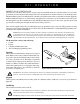
ON/OFF KEY
ACTUATOR
INDICATOR
BATTERY
CONDITION
METER
SPEED
SETTING
INDICATOR
MODE
KEY
HORN
KEY
Figure 30. Remote Plus Keypad
VII. OPERATION