
Operation Manual






EN - 9
Quick Start Guide
Prestigio MultiBoard
EN
4. Basic operations
Power on
1� Use the power cord to connect the MultiBoard to a power socket�
2� Press the "I" at the end of the power/standby key on the control panel�
3� Press the power/standby button on the remote control to turn on the
MultiBoard�
Standby
Press the power/standby button on the remote control to enter the standby state�
• After a certain time span, the MultiBoard will enter the standby mode
automatically�
• If you do not intend to use the MultiBoard for several days, we recommend that
you remove the power cord�
Signal source selection
1� Press the signal source key on the control panel or remote control�
2� Press the up/down keys on the remote control (or the program +/- keys on the control
panel) to select a signal source�
3� Press the ok key on the remote control (or the menu key on the control panel) to confirm
the selection�
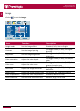
Menu operations
Press the menu key on the remote control (or the menu key on the control panel) to enter
the main menu:
1� Press the left/right keys on the remote control (or the volume +/- keys on the control
panel) to select the desired options - Image, Sound, Menu or PC�
2� Press the up/down keys on the remote control (or the program +/- keys on the control
panel) to select an item�
3� Press the left/right keys on the remote control (or the volume +/- keys on the control
panel) to select a parameter�
4� Press the menu key to exit the main menu�
4