
Operation Manual



EN - 10
EN
Quick Start Guide
Prestigio MultiBoard
9
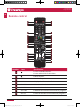
INPUT •Source selected button�
10
MENU •Menu display�
11
ASPECT
RESET
•Press and hold to reset touch frames under the
PC, HDMI, VGA source�
• Adjust the picture ratio�
12
ALT (red) •Reset to factory settings of the internal PC�
13
TAB (green) •Reset to factory settings of the internal PC�
14
DESKTOP
(yellow)
•Fast switch to desktop of the internal PC�
15
BACKSPACE
(blue)
•The backspace button of the internal PC�
16
D�MENU
•Windows button of the internal PC�
•DVD function button� Return to the menu�
17
D�TITLE
•The menu buttonof the internal PC �
•DVD function button� Return to the Title�
18
•Navigation button, press to up�
19
•Navigation button, press to left�
20
•Navigation button, press to right�
21
•Navigation button, press to down�
22
ENTER •Enter button, press to select the status�
23
D�USB
•Start-up the writing software�
•DVD function button� USB source in DVD mode�
24
ESC/EXIT
D�SETUP
•ESC/EXIT button�
•Press to exit current status; DVD menu button�
25
EPG •Digital program guide�
26
SPACE •Space button�
27
VOL+
VOL-
•Volume increase and decrease�
28
F1
•F1 Function button; Fast reverse�
29
F2
•F2 Function button; Fast forward�
30
F3
•F3 Function button; Play/Pause�
31
F4
•F4 Function button; Previous�
PMB554H847,707,657_QSG_ EN_no TV.indd 13 2013/10/15 14:29:03