- Gateway User Guide Monitor FPD1975W
Manuals
Brands
Preference Audio Manuals
Monitor
FPD1975W
11
12
13
14
15
16
17
18
19
20
Setting up the optional stand
www.gateway
.com
7
12
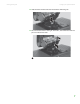
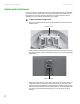
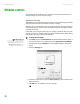
Slide the neck’s bracket slot
onto the
bracket’s mountin
g tab.
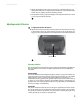
13
P
ress the bracket lever to t
he right
and hold
it, the
n lower the n
eck into
place and r
elease the lever
.
1
...
...
9
10
11
12
13
...
...
38