User manual
Manuals
Brands
PQI Manuals
audio & home theatre
Portable DVD Player P600
41
42
43
44
45
46
47
48
49
50
46
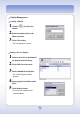
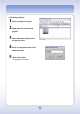
Renaming a Playlist
1
Select a playlist
to rename.
2
Right-click over the select
ed
playlist.
3
Select <Rename playli
st> from
the pop-up menu.
4
Enter a new playlist name
in the
Name input box.
5
Click <OK> button.
- The playlist is renamed.
1
...
...
44
45
46
47
48
...
...
122