
User's Manual DATA PROJECTOR U4-232, U4-232h
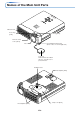
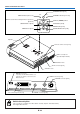
Table Of Contents
- INDEX
- English
- IMPORTANT SAFETY INFORMATION
- Major Features
- Table of Contents
- Checking the Supplied Accessories
- Names of the Main Unit Parts
- Names of the Remote Control Parts
- Preparing the Remote Control
- The Procedure Up to Projecting to the Screen
- Placement Guide
- Connecting Personal Computers and Video Equipment
- Power Cable Connections and Switching the Power On/Off
- Adjustment of the Projection Screen
- General Operation
- Input Selection
- Automatic Adjustment of Analog RGB
- Selection of Aspect Ratio
- Freezing a Moving Picture
- Cancelling Video and Audio Temporarily
- Lamp Mode
- Keystone
- Adjustment of the Volume
- Enlargement of the Image and Video Movement
- Using the Presentation Timer
- Protecting the Projector with the Security Lock
- Using the Quick Menu
- Menu Operation Method
- Image
- Color
- View
- Setup
- Option
- Info.
- When an Indicator is Lit or Blinking
- Troubleshooting
- Cleaning
- Replacing the Lamp Cartridge
- Specifications
- Table of Supported Frequencies
- Cabinet Dimensions

E-5
Table of Contents
Preparation and Background Knowledge
IMPORTANT SAFETY INFORMATION ............................................................................ E-2
Major Features ................................................................................................................. E-4
Table of Contents ............................................................................................................. E-5
Checking the Supplied Accessories .............................................................................. E-7
Names of the Main Unit Parts ......................................................................................... E-9
Names of the Remote Control Parts ............................................................................ E-11
Preparing the Remote Control...................................................................................... E-12
Button Battery Replacement ..................................................................................... E-12
Remote Control Range ............................................................................................. E-12
Setup and Projection
The Procedure Up to Projecting to the Screen ........................................................... E-13
Placement Guide
Screen Size and Projection Distance ........................................................................ E-14
Connecting Personal Computers and Video Equipment
Connections with Personal Computer ....................................................................... E-15
Personal Computers with a DVI Connector ......................................................... E-15
Personal Computers with a Mini D-Sub 15-Pin Connector ................................. E-16
To Output the External Output Signal of a Notebook Computer ......................... E-17
Connections with Composite Signals ........................................................................ E-18
Video Equipment with VIDEO Connectors .......................................................... E-18
Video Equipment with S-VIDEO Connectors ...................................................... E-18
Connections with Component Signals ....................................................................... E-19
Connections with Audio Connectors ......................................................................... E-20
Power Cable Connections and Switching the Power On/Off
Operating ................................................................................................................... E-21
Finishing .................................................................................................................... E-23
Adjustment of the Projection Screen
Adjustment of the Projection Screen ......................................................................... E-24
Making Adjustments with the Adjusters .............................................................. E-25
General Operation
Input Selection ............................................................................................................... E-26
Automatic Adjustment of Analog RGB ........................................................................ E-26
Selection of Aspect Ratio ............................................................................................. E-27
Freezing a Moving Picture ............................................................................................ E-28
Cancelling Video and Audio Temporarily..................................................................... E-28
Lamp Mode ..................................................................................................................... E-28
Keystone ......................................................................................................................... E-29
Adjustment of the Volume ............................................................................................. E-29
Enlargement of the Image and Video Movement ........................................................ E-30
Using the Presentation Timer ....................................................................................... E-31
Protecting the Projector with the Security Lock ......................................................... E-32
Using the Quick Menu ................................................................................................... E-34