
User's Manual DATA PROJECTOR U4-232, U4-232h

Table Of Contents
- INDEX
- English
- IMPORTANT SAFETY INFORMATION
- Major Features
- Table of Contents
- Checking the Supplied Accessories
- Names of the Main Unit Parts
- Names of the Remote Control Parts
- Preparing the Remote Control
- The Procedure Up to Projecting to the Screen
- Placement Guide
- Connecting Personal Computers and Video Equipment
- Power Cable Connections and Switching the Power On/Off
- Adjustment of the Projection Screen
- General Operation
- Input Selection
- Automatic Adjustment of Analog RGB
- Selection of Aspect Ratio
- Freezing a Moving Picture
- Cancelling Video and Audio Temporarily
- Lamp Mode
- Keystone
- Adjustment of the Volume
- Enlargement of the Image and Video Movement
- Using the Presentation Timer
- Protecting the Projector with the Security Lock
- Using the Quick Menu
- Menu Operation Method
- Image
- Color
- View
- Setup
- Option
- Info.
- When an Indicator is Lit or Blinking
- Troubleshooting
- Cleaning
- Replacing the Lamp Cartridge
- Specifications
- Table of Supported Frequencies
- Cabinet Dimensions
E-41
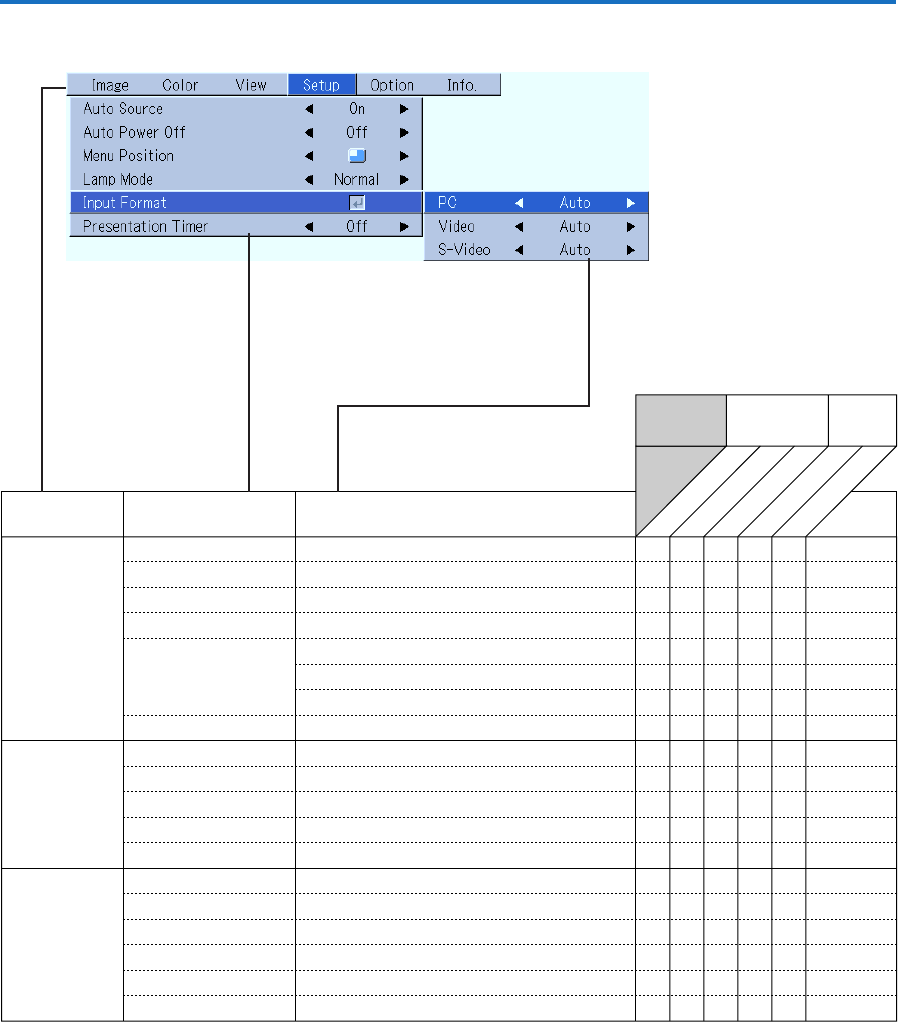
Imput
Terminal
PC VIDEO
Digital RGB
Component
VIDEO
S-VIDEO
Menu name
Setup
Info.
Auto Source
E-49
嘷 嘷嘷嘷
Item Name
Reference
Page
Sub Menu
Item Name
Auto Power Off
E-49
嘷 嘷嘷嘷
嘷嘷嘷
Menu Position
E-49
Input Format
PC
嘷
嘷嘷嘷嘷
嘷嘷嘷嘷
嘷嘷嘷嘷
嘷嘷
Video
E-50
S-Video
E-50
Presentation Timer
E-50
E-50
嘷嘷
Language
On Screen
Background
Startup Screen
Option E-51
嘷 嘷嘷嘷
E-51
嘷 嘷嘷嘷
E-51
嘷 嘷嘷嘷
E-52
嘷 嘷嘷嘷
Security Lock
E-52
嘷 嘷嘷嘷
Status
E-53
嘷 嘷嘷嘷
Factory Default
E-53
嘷 嘷嘷嘷
Lamp Timer Reset
E-53
嘷 嘷嘷嘷
嘷嘷嘷
嘷嘷嘷
Resolution
E-54
嘷
Frequency
E-54
嘷
Lamp Timer
E-54
嘷嘷
Analog RGB
嘷
嘷
嘷
嘷嘷嘷
Lamp Mode
E-50
嘷嘷
嘷
嘷
嘷
嘷
嘷
嘷
嘷
嘷
嘷
嘷
嘷
嘷
嘷
嘷
嘷嘷嘷
Input Signal
Menu Operation Method