
User's Manual DATA PROJECTOR U4-232, U4-232h
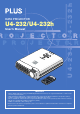
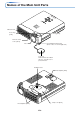
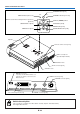
Table Of Contents
- INDEX
- English
- IMPORTANT SAFETY INFORMATION
- Major Features
- Table of Contents
- Checking the Supplied Accessories
- Names of the Main Unit Parts
- Names of the Remote Control Parts
- Preparing the Remote Control
- The Procedure Up to Projecting to the Screen
- Placement Guide
- Connecting Personal Computers and Video Equipment
- Power Cable Connections and Switching the Power On/Off
- Adjustment of the Projection Screen
- General Operation
- Input Selection
- Automatic Adjustment of Analog RGB
- Selection of Aspect Ratio
- Freezing a Moving Picture
- Cancelling Video and Audio Temporarily
- Lamp Mode
- Keystone
- Adjustment of the Volume
- Enlargement of the Image and Video Movement
- Using the Presentation Timer
- Protecting the Projector with the Security Lock
- Using the Quick Menu
- Menu Operation Method
- Image
- Color
- View
- Setup
- Option
- Info.
- When an Indicator is Lit or Blinking
- Troubleshooting
- Cleaning
- Replacing the Lamp Cartridge
- Specifications
- Table of Supported Frequencies
- Cabinet Dimensions

E-4
Major Features
䡵 Lightweight (at about 1.5 kg/3.3 lb) high-intensity mobile projector
The synergy of the DLP™ (Digital Light Processing) display system and our own optical design serve to improve the optical
utilization efficiency. The three primary colors (RGB) required in color expression are reproduced with one DMD (Digital
Micromirror Device of high precision). These factors have enabled a design that offers both high intensity and small size/
lightweight features.
䡵 Sharp, clear picture
The DLP™ display system affords RGB color fidelity and inconspicuous gaps between the individual dots, thereby permitting
the display of small characters and diagrams with distinct clarity.
䡵 High contrast ration of 2000:1
Use of a new generation of DMD devices has given birth to an amazing 2000:1 high contrast ratio.
By widening the difference of brightness between black and white, you can see a degree of sharpness that is greater than just
the brightness based on specifications.
䡵 Great moving image playback capabilities using the same principles as DLP Cinema
technology
Plus DLP type projectors have the same makings as the DLP Cinema technology used in movie theaters. Because of their
extremely fast response, even images with much movement – sports, movies – play smoothly without blurring.
䡵 Security lock function
The lock can be set so that a password must be input when the projector is started up. Without the correct password, no
operations other than turning the power on and off can be performed. This function effectively protects the projector from
unauthorized use.
䡵 Powerful functions for presentations
A wide variety of easy-to-set functions have been built into the projector, from a digital keystone correction function (used
when making settings) that corrects picture distortion, to an auto adjustment function that automatically identifies the PC
signal.
There is also a built-in “Presentation Timer” function for further presentation convenience.
䡵 Beautiful reproduction of high-quality images from DVD
Faithful reproduction of color tones gives rise to the display of natural images. High-quality images such as those from DVD
and digital high-definition television broadcasts bring out the display capabilities that are an essential strength of the DLP™
display system projector.
䡵 Digital/analog RGB input
by using a DVI cable to connect the projector with a personal computer equipped with a DVI connector. This will allow fully
digital pictures to be enjoyed.
䡵 Econo-mode switch function for the lamp output
Using the lamp Econo-mode will extend the life of the lamp and lower the power consumption.
By switching the lamp mode to suit your operating environment, you will save on lamp cost as well as contribute to energy
conservation and ecology.