
User's Manual DATA PROJECTOR U4-232, U4-232h
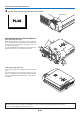
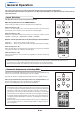
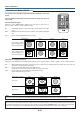
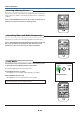

Table Of Contents
- INDEX
- English
- IMPORTANT SAFETY INFORMATION
- Major Features
- Table of Contents
- Checking the Supplied Accessories
- Names of the Main Unit Parts
- Names of the Remote Control Parts
- Preparing the Remote Control
- The Procedure Up to Projecting to the Screen
- Placement Guide
- Connecting Personal Computers and Video Equipment
- Power Cable Connections and Switching the Power On/Off
- Adjustment of the Projection Screen
- General Operation
- Input Selection
- Automatic Adjustment of Analog RGB
- Selection of Aspect Ratio
- Freezing a Moving Picture
- Cancelling Video and Audio Temporarily
- Lamp Mode
- Keystone
- Adjustment of the Volume
- Enlargement of the Image and Video Movement
- Using the Presentation Timer
- Protecting the Projector with the Security Lock
- Using the Quick Menu
- Menu Operation Method
- Image
- Color
- View
- Setup
- Option
- Info.
- When an Indicator is Lit or Blinking
- Troubleshooting
- Cleaning
- Replacing the Lamp Cartridge
- Specifications
- Table of Supported Frequencies
- Cabinet Dimensions
E-29
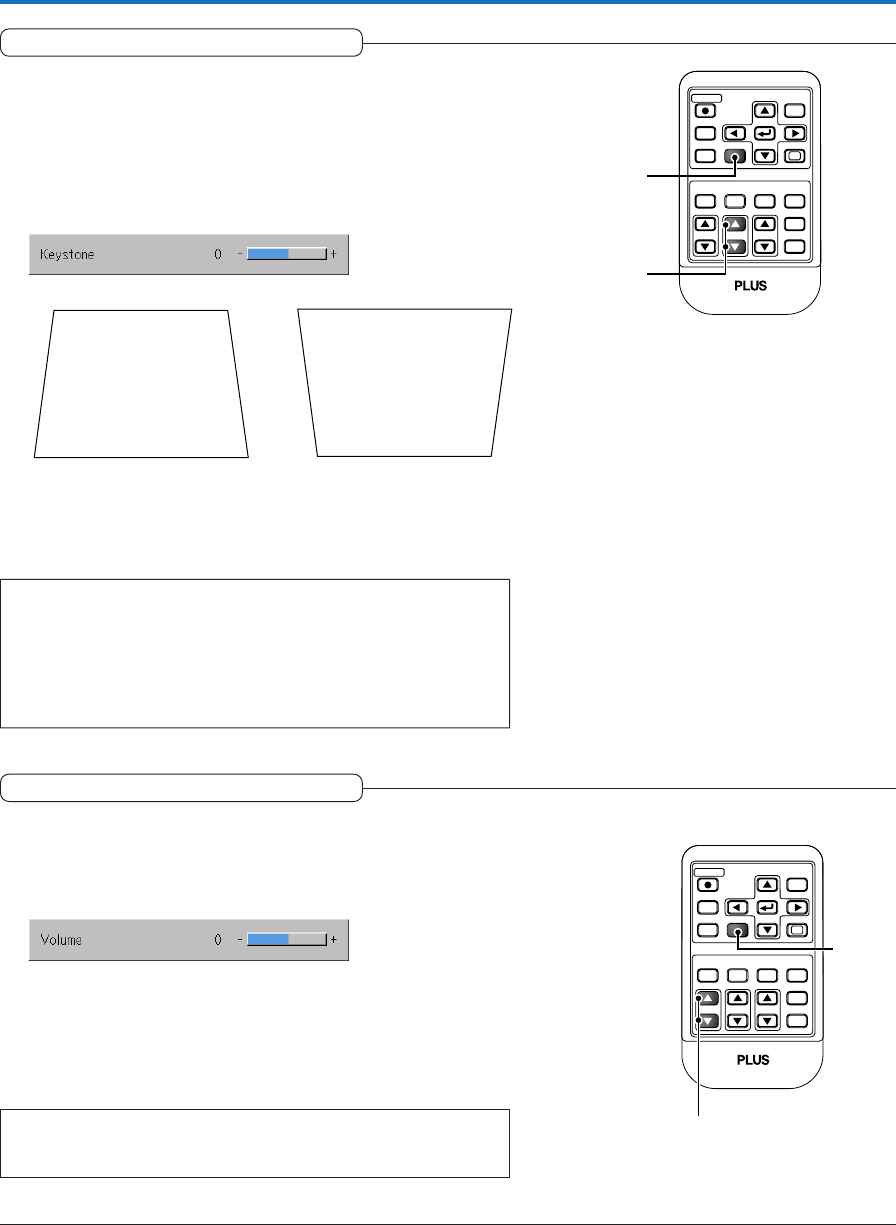
Keystone
Use this to adjust for trapezoidal (keystone) distortion of the pro-
jected image.
Adjustment Method
(1) Press the 왖 or 왔 KSTN button to make the left and right sides
parallel.
The keystone adjustment display appears when one of the buttons is
pressed.
Press the 왔 button. Press the 왖 button.
(2) Press the CANCEL button to immediately close the display.
The display will close when there has not been an operation in about
10 seconds.
Note:
* Keystone adjustment values can be saved. See “Keystone Save” on Page
E-48.
* Screen examples have been drawn in an exaggerated style for the purpose
of description.
* Please note that depending on the projected picture and the projection con-
ditions, it may not be possible to eliminate keystone distortion completely.
General Operation
RGB
STANDBY
VIDEO
FREEZE
MUTE
ECO AUTO
ASPECT
TIMER
VOL ZOOM
QUICK
MENU
ENTER
Q
1234
KSTN
CANCEL
(1)
(2)
Adjustment of the Volume
This function adjusts the volume of the built-in speaker.
(1) Press the 왖 or 왔 VOL button to adjust the volume.
The volume adjustment display appears when one of the buttons is
pressed.
(2) Press the CANCEL button to immediately close the display.
The display will close when there has not been an operation in about
10 seconds.
Note:
* Adjustment of the volume will not produce any sound unless an image is
being projected.
RGB
STANDBY
VIDEO
FREEZE
MUTE
ECO AUTO
ASPECT
TIMER
KSTN ZOOM
QUICK
MENU
ENTER
Q
1234
VOL
CANCEL
(1)
(2)
The 왖 button increases the volume and the 왔 button decreases the
volume.