
User's Manual DATA PROJECTOR U4-232, U4-232h
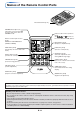
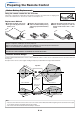

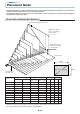
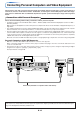


Table Of Contents
- INDEX
- English
- IMPORTANT SAFETY INFORMATION
- Major Features
- Table of Contents
- Checking the Supplied Accessories
- Names of the Main Unit Parts
- Names of the Remote Control Parts
- Preparing the Remote Control
- The Procedure Up to Projecting to the Screen
- Placement Guide
- Connecting Personal Computers and Video Equipment
- Power Cable Connections and Switching the Power On/Off
- Adjustment of the Projection Screen
- General Operation
- Input Selection
- Automatic Adjustment of Analog RGB
- Selection of Aspect Ratio
- Freezing a Moving Picture
- Cancelling Video and Audio Temporarily
- Lamp Mode
- Keystone
- Adjustment of the Volume
- Enlargement of the Image and Video Movement
- Using the Presentation Timer
- Protecting the Projector with the Security Lock
- Using the Quick Menu
- Menu Operation Method
- Image
- Color
- View
- Setup
- Option
- Info.
- When an Indicator is Lit or Blinking
- Troubleshooting
- Cleaning
- Replacing the Lamp Cartridge
- Specifications
- Table of Supported Frequencies
- Cabinet Dimensions
E-18
Connecting Personal Computers and Video Equipment
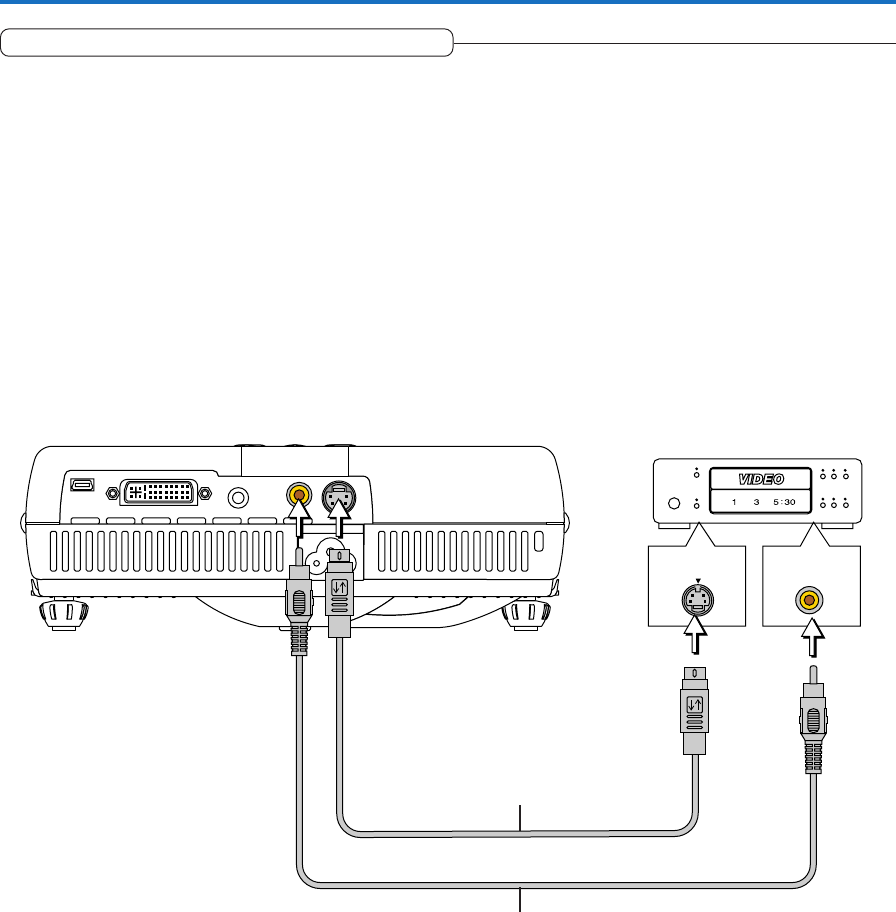
S-VIDEO
VIDEO
Connections with Composite Signals
Video Equipment with VIDEO Connectors
• Make the connection to the VIDEO connector of the projector using the supplied Video cable.
• The input setting of the VIDEO connector has been set to “Auto” at the factory; however, if the projector does not project, please
change the input setting to “Your Country’s Television Broadcast System” using the menu sequence of [Setup] → [Input Format]
→ [Video].
See “Input Format” on Page E-50.
Video Equipment with S-VIDEO Connectors
• Make the connection to the S-VIDEO connector of the projector using the supplied S-video cable.
• The input setting of the S-VIDEO connector has been set to “Auto” at the factory; however, if the projector does not project,
please change the input setting to “Your Country’s Television Broadcast System” using the menu sequence of [Setup] → [Input
format] → [S-Video].
See “Input Format” on Page E-50.
Video cable (Supplied item)
Video deck, DVD player, document
camera, etc.
S-Video cable (Suppled item)