
User guide



Table Of Contents
SWP-0412G2 Series L2 Web Smart Switch User Guide
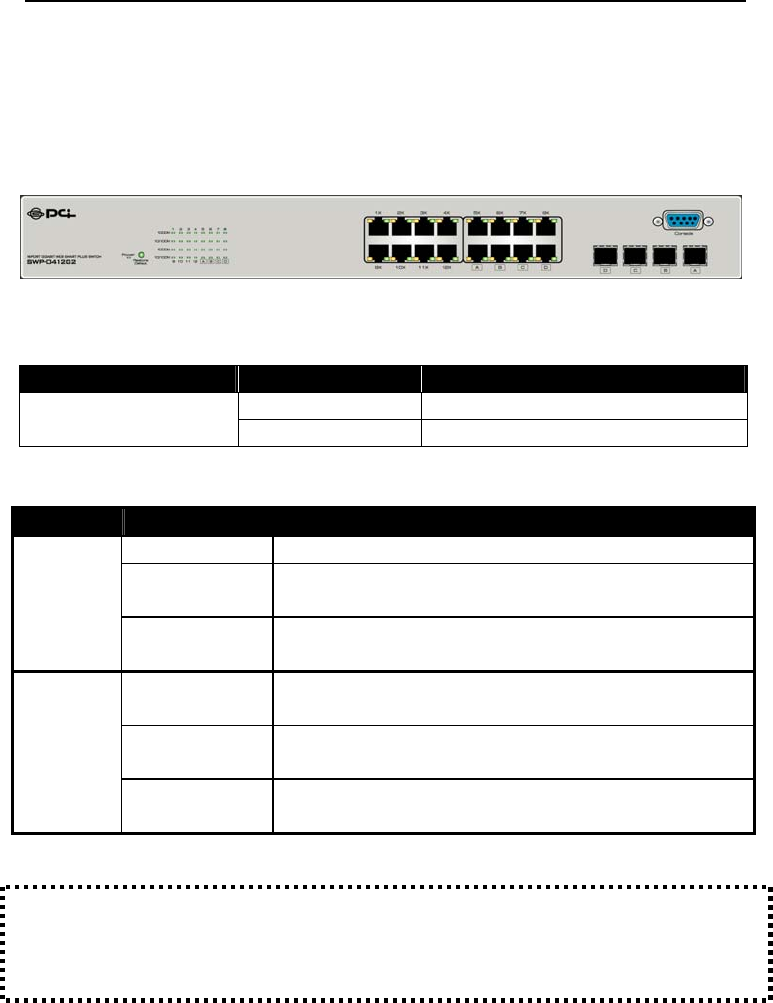
The Front Panel
The front panel features all the LED indicators and ports:
Device LED:
LED Status Operation
Steady Green The switch is powered on
Power (PWR)
Off The switch is powered off
Port LEDs:
LED Status Operation
Green The port is connected at 1000 Mbps
Blinking Green
A valid link is established, and there is data
transmitting/receiving.
1000M
Off
No valid link on this port or the Port is connected at 10/100
Mbps
Steady Green
A valid link is established, and there is no data
transmitting/receiving.
Blinking Green
A valid link is established, and there is data
transmitting/receiving.
10/100M
Off
No valid link on this port or the port is connected at 1000
Mbps
Attention:The mini-GBIC (SFP) slots share their LED indicators with their
interchangeable Gigabit RJ-45 (copper) ‘combo’ ports (the last 4 copper ports).
Use of a mini-GBIC slot automatically disables its corresponding copper port.
5