
Instruction Manual



10
V.
V.
V.
V. Install
Install
Install
Install and
and
and
and Manage
Manage
Manage
Manage Apps
Apps
Apps
Apps
5.1
5.1
5.1
5.1 Install
Install
Install
Install Apps
Apps
Apps
Apps
Go to the “ ApkInstaller ” to install and manage your apps. To install an
application, follow below steps:
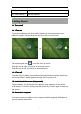
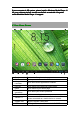
1 . Tap to open the ‘ APKInstaller ’ → ‘ Install ’ → then tap “ Internal Memory ” or
“ TF Card ” . Available .apk files will appear at the right side. Touch the required
one to install it.
Note:
Note:
Note:
Note: Make sure the .apk file is workable on android 4.0 , and the suffix is .apk.
e.g. “ angrybirds.apk ” .
In some cases, there may be no icon on in the App Panel after a .apk file is
installed. Possible reasons may be that this app is not compatible with your OS
or the downloaded .apk file is a broken one so you may need to download a full
version.
5.
5.
5.
5. 2
2
2
2 Manage
Manage
Manage
Manage Apps
Apps
Apps
Apps
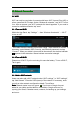
Tap to open the ‘ APKInstaller ’ → ‘ Manage ’ . Tab the app and then you can
launch, export, uninstall it.
You can also go to “ App S ” under “ Settings ” to manage apps.