
Owner manual


22
VII.
VII.
VII.
VII. Settings
Settings
Settings
Settings
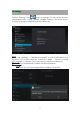
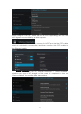
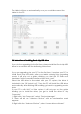
Tap the “ Settings ” icon to go to settings. You can check and set
wireless&networks, sound, display, storage, Battery, Accounts &sync,
security, language, date&time, about tablet, etc.
Wi-Fi:
Wi-Fi:
Wi-Fi:
Wi-Fi: tap “ Settings ” → “ Wireless & networks ” to turn on wifi and scan. It
will show a list of Wi-Fi networks scanned in range. Choose a strong
Wi-Fi network to connect. (You may need to input the password).
Bluetooth:
Bluetooth:
Bluetooth:
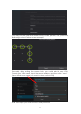
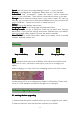
Bluetooth: Turn on Bluetooth, enable the file transmission
Data
Data
Data
Data usage:
usage:
usage:
usage:
VPN
VPN
VPN
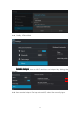
VPN : First, set a locked screen before adding VPN profile,