
All in One Printer User Manual

12
Chapter 2 Scan/Email Operations
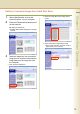
Scan to the PCMCIA/PC Card
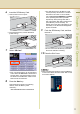
The scanned image will be directly transferred to the memory card into the PCMCIA/PC Card Adapter.
z Be sure to use only PCMCIA/PC Card Adapter (Type II) for Memory Card.
z For types of memory cards that can be used with the PC card adapter, refer to the document that came with the
PC Card Adapter.
1
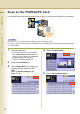
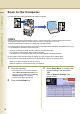
Place the original(s).
z For instructions on how to place originals,
refer to Basic Operation Procedure (see
page 6). For more details, refer to Placing
Originals (Copy) in the Operating
Instructions (for Basic Operations).
2
Press the Scan/Email key.
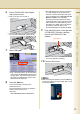
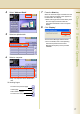
3
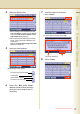
Select “Basic Menu” to configure the
required settings, and then select
“OK”.
Refer to Scanner Settings (see
pages 28-39).
4
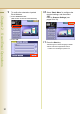
Select "Address Book".
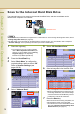
5
Select “SD Card/Hard Drive”.