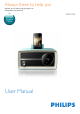
Always there to help you Register your product and get support at www.philips.
Contents 1 Safety Important Safety Instructions 4 4 2 What's in the box 5 3 Get started 6 4 Play 7 5 Other features 9 Connect power Set clock Play from iPod/iPhone Listen to radio Set alarm timer Set sleep timer Adjust brightness Play from an external device 6 6 7 7 9 10 10 10 6 Product information 11 7 Troubleshooting 12 8 Notice 12 Specifications 11 EN 2
Register online at www.philips.com/welcome today to get the very most from your purchase. Register online at www.philips.com/welcome to ensure: Congratulations on your purchase, and welcome to the “family!” Dear PHILIPS product owner: P.S. To get the most from your PHILIPS purchase, be sure to register online at: www.philips.com/welcome 3 EN This “bolt of lightning” indicates uninsulated material within your unit may cause an electrical shock.
1 Safety i Protect the power cord from being walked on or pinched, particularly at plugs, convenience receptacles, and the point where they exit from the apparatus. j Only use attachments/accessories specified by the manufacturer. This 'bolt of lightning' indicates uninsulated material within your unit may cause an electrical shock. For the safety of everyone in your household, please do not remove product covering.
q Where the plug of the Direct Plug-in Adapter is used as the disconnect device, the disconnect device shall remain readily operable. Warning •• Keep this device away from direct sunlight, naked 2 What's in the box Check and identify the contents of your package. flames or heat. •• Ensure that you always have easy access to the power cord, plug or adaptor to disconnect the device from the power. •• Never place this apparatus on other electrical equipment.
3 Get started Always follow the instructions in this chapter in sequence. Connect power Caution •• Risk of product damage! Make sure that the power voltage corresponds to the voltage printed on the back or underside of the unit. •• Risk of electric shock! When you unplug the power adapter, always pull the plug from the socket. Never pull the cord. Set clock 1 2 3 4 In standby mode, press and hold SET TIME on the back of the device for two seconds. »» [12H] or [24H] begins to blink.
4 Play Play from iPod/iPhone You can enjoy audio from iPod/iPhone through this unit. Install HomeStudio App Philips HomeStudio app brings a suite of new features to your docking system, including FM radio programming and a multi-function alarm clock. To enjoy more features, you are recommended to install this free HomeStudio app. Note •• Make sure that your iPod/iPhone is connected to the Internet. 1 2 3 4 5 7 Press the knob repeatedly to select [DOCK]mode. Insert your iPod/iPhone into the dock.
Tune to FM radio stations Adjust volume 1 While listening, rotate the knob to adjust volume. 2 Press the knob repeatedly to choose [FM] mode. Search for a radio station manually or automatically. To search for a radio station manually: • Rotate TUNING to select a station. »» The display panel shows the radio frequency of the waveband. To search for a radio station automatically: • Press the knob within two seconds after rotating TUNING.
5 Other features Set alarm timer AL1 2 sec. Set alarm Note AL1 AL1 •• Make sure that you have set the clock correctly. You can set two alarms to ring at different time. Buzzer, FM radio, or your last listened audio in the iPod/iPhone can be selected as alarm sound. 1 2 3 4 AL1 AL1 Press and hold AL1/AL2 for more than two seconds to activate alarm setting mode. »» The current alarm time (if set) is displayed. »» The hour digits and alarm icon begin to blink.
• To stop alarm, press the corresponding AL1/AL2. »» The alarm repeats ringing for the next day. SNOOZE BRIGHTNESS Note •• When alarm sounds, you cannot adjust volume by rotating the knob. Snooze the alarm When alarm sounds, press SNOOZE. »» The alarm snoozes and repeats ringing nine minutes later. Play from an external device 1 Set sleep timer Press SLEEP on the back of the device repeatedly to select the sleep time period (in minutes). »» When the sleep timer is activated, appears.
6 Product information Note •• Product information is subject to change without prior notice. Specifications Amplifier Rated Output Power Frequency Response Signal to Noise Ratio Total Harmonic Distortion Audio In (MP3 link) 4W RMS 20 -20000 Hz, -3dB >67 dB <1% 0.6 V RMS 20kohm Tuner (FM) Tuning range Tuning grid Sensitivity - Mono, 26dB S/N Ratio - Stereo, 46dB S/N Ratio Search Selectivity Total Harmonic Distortion Signal to Noise Ratio 11 87.
7 Troubleshooting Warning •• Never remove the casing of this device. To keep the warranty valid, never try to repair the system yourself. If you encounter problems when using this device, check the following points before requesting service. If the problem remains unsolved, go to the Philips Web page (www.philips.com/support). When you contact the Consumer Care, make sure that the product is nearby and the model number and serial number are available.
Your product is designed and manufactured with high quality materials and components, which can be recycled and reused. Never dispose of your product with other household waste. Please inform yourself about the local rules on the separate collection of electrical and electronic products. The correct disposal of these products helps prevent potentially negative consequences on the environment and human health. Please visit www.recycle.philips.com for additional information on a recycling center in your area.
P&F USA Inc. PO Box 2248 Alpharetta, GA 30023-2248 Phone 1 866 309 0845 Meet Philips at the Internet http://www.philips.com/welcome 2014 © WOOX Innovations Limited. All rights reserved. This product was brought to the market by WOOX Innovations Limited or one of its affiliates, fur ther referred to in this document as WOOX Innovations, and is the manufacturer of the product. P&F is the warrantor in relation to the product with which this booklet was packaged.