
Specifications




35
English
Tuner Operations
Manual presetting
You can choose to store only your
favourite radio stations.
1 In tuner mode, press S / T or 3 /
4 on the remote to select a radio
station.
2 Press PROG.
3 Press 1 2 or use the numeric keypad
(0-9) to select a preset number.
4 Press PROG again to store.
Selecting a preset radio
station
● Press 1 2 or use the numeric keypad
(0-9) to select a preset number.
➜ The waveband, preset number
followed by radio frequency will appear.
Deleting a preset radio station
● Press and hold 9 until “MWXX” or “FMXX”
“DELETED” appears.
➜ The current preset radio station will
be deleted.
1 Press TUNER on the remote (or press
SOURCE control on front panel) to
select “FM” or “MW”.
2 Press 1 2 or use the numeric keypad
(0-9) to select a preset number to begin.
3 Press and hold PROG until "AUTO"
appears.
➜ If a radio station is stored in one of the
earlier presets, the same radio station will
not store under another preset number.
➜ If no preset number is selected,
automatic preset will begin from preset
(1) and all your former presets will be
overridden.
Changing tuning grid (not available
for all versions)
In North and South America, the
frequency step between adjacent channels
in the MW band is 10 kHz (9 kHz in some
areas). The preset frequency step in the
factory is 9 kHz.
IMPORTANT!
Changing the tuning grid will erase all
previously stored preset radio
stations.
DVD HOME ENTERTAINMENT SYSTEM
LX3600D
IR
OPEN/CLOSE PLAY/PAUSE STOP
SOURCE
PREV NEXT
STANDBY-ON
1 Press TUNER on the remote (or press
SOURCE control on front panel) to
select “FM” or “MW”.
2 Press S / T to check the frequency
step.
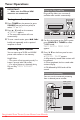
3 While holding down SOURCE and
PLAY/PAUSE ÉÅ on the main unit,
press STANDBY ON.
➜ The display will show "GRID 9" or
"GRID 10".
Notes:
– GRID 9 and GRID 10 indicate that the
tuning grid is in step of 9 kHz and 10 kHz
respectively.
– The FM tuning grid also will be changed
from 50 kHz to 100 kHz or vice versa.
Downloaded From TheatreSystem-Manual.com Manuals