
User guide






23
PVR menu
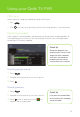
Quickly and easily manage your recordings through the PVR menu.
1 Press .
2 Use to access your recordings, edit your recording settings, or add a recording.
Recording programs
When a program is being recorded, a red record icon will be displayed in the guide regardless of
which digital box you are watching
TV
on. The record light will remain lit on all your digital boxes,
including your PVR, during a recording.
Recording a single episode
1
Press .
2 Navigate to the program that you wish to record.
3 Press .
Recording a series
1
Press .
2 Navigate to the program that you want to record.
3 Press twice. A series record icon will
appear in the onscreen guide.
Quick tip
Sometimes programs, like
sporting events, will run a little
longer than their scheduled
time. But if you extend the
recording time you can be
sure you won’t miss a minute.
Quick tip
If you press the record button
for a third time, your recording
will be cancelled.
Using your Optik TV PVR