
User guide



12
Can’t find what you are looking for? Visit telus.com/tvhelp for more Optik TV help info.
12
Call Display on your TV
If you have Call Display on your TELUS Home Phone, you can see the name and number
of who’s calling right on your TV screen. Take the call or wait until your show is done.
To find out more or to subscribe to Call Display, call 310-MYTV (6988) or contact us
at telus.com/contact
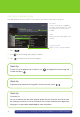
Call Display settings
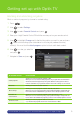
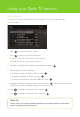
1
Press . Use to select TV apps and press .
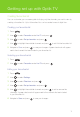
2 Use to select Call Display settings and press .
3 Navigate to Enable Call Display and press to turn Call Display on or off.
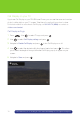
4 Use to select the desired notification timeout period and press . This allows
you to select the length of time you’d like the Call Display pop-up to appear on your
screen.
5 Navigate to Save and press .