
Operation Manual





CAMERA
70
CAMERA SETTINGS
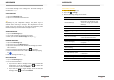
1. Tap on the Camera app.
2. Tap on ❹ Camera settings.
3. Tap on the camera symbol.
4. Select the photo you want to adjust and make the appropriate
changes for:
General
Exposure
Color effect
Scene mode
White balance
Image properties
Anti-flicker
Volume keys
Photo
Zero shutter delay
Anti-shake
Voice capture
Face detection
Smile shot
Auto scene detection
Self timer
Capture number
Picture size
Preview size
ISO
SET SHOT MODE
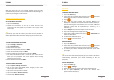
1. Open the Camera app.
2. Tap on
❻
Panorama mode or ❾ Normal mode .
SET FLASH
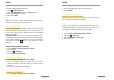
1. Open the Camera app.
2. Tap on ❼ Flash mode.
3. Choose between Auto, On and Off.
CAMERA
71
You can turn on the flash when taking pictures with low light
conditions. Sometimes the pictures quality, even in poor light is
better without flash.
Auto: The camera automatically detects whether a flash is needed
or not.Auto ist set as default.
On: You can use the flash when the background is brighter than
your subject.
Off: The flash is turned off.
CAMERA SETTINGS VIDEO MODE
Following camera settings can be set before you make a video.
CAMERA SETTINGS
1. Open the Camera app.
2. Tap on ❹ Camera settings.
3. Select the you want to adjust and make the appropriate
changes for:
Noise reduction
EIS
Microphone
Audio mode
Time lapse interval
Video quality
Tap on > Restore Defaults to return to default settings.
SET RECORDING MODE
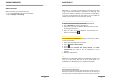
1. Open the Camera app.
2. Tap on ❹ Camera settings.
3. Tap on
4. Choose audio mode between Meeting or Normal.