
Operation Manual





MESSENGER
52
on the draft message in the message list. The draft message is
marked with “Draft”.
SHOW MESSAGES
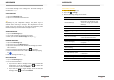
1. Tap on the Messenger app.
2. Tap on a conversation to view the text.
TIP:
Depending on your notification settings, the phone rings or
vibrates when recieving a message. The notification icon also
points to this new message. You can drag the notification panel
downward and tap on the received message to view it.
ANSWER MESSAGES
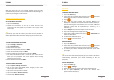
1. Tap on the Messenger app.
2. Tap on the message you would like to answer.
3. Enter your answer in Send message and tap on .
FORWARD MESSAGES
1. Tap on the Messenger app.
2. Tap on the Tap on the Messenger app.
3. Tap on the conversation that includes the message you would
like to forward.
4. Press and hold the message and tap on to forward.
5. Select a contact from the list or add a new number by tapping
on .
6. Edit the message and tap on .
DELETE MESSAGES
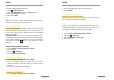
1. Tap on the Messenger app.
2. You can choose between:
If you want to delete a message history, press and hold the
conversation, it will be marked. Tap on to delete the
conversation and confirm with DELETE.
If you want to delete a single message, press and hold the
message, select . Confirm with DELETE.
MESSENGER
53
MESSAGING SETTINGS
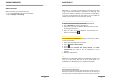
1. Tap on the Messenger app.
2. Tap on the > Settings.
3. Now the following settings can be made:
General
Default SMS app
Touch to choose between
Messenger and Hangouts app.
Touch to change your default
SMS app
Get notifications
Activate / deactivate function
Notification
sound
Select the sound for messages
Hear outgoing message
sound
Activate / deactivate function
Vibrate
Activate / deactivate fu
nction
Your current country
Select your current country or
select automatic detection
SIM CARD OPTIONS
Group messaging
Send a single MMS to all
recipients
Auto
-
download MMS
Activate /
deactivate
function
Auto-download MMS
when roaming
Activate / deactivate function
Use simple characters
Activate /
deactivate
function
Get SMS delivery report
Find out when a SMS message
is delivered
Service messages
Receive service messages
SIM card messages
Messages on SIM card
Phone number
You phone number.