
Operation Manual






MANAGE YOUR PHONE
30
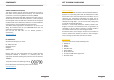
Printing Enable wireless printing via your Google
account
About
phone
Information about your phone like system
update, status, legal information, model
number, processor info, Android version,
Kernel version , build number.
ACTIVATE MOBILE DATA
The devices comes with switched off mobile data. If you wish to
activate mobile data please make sure that the mobile data on
your SIM card is activated by your provider. To activate mobile
data on your smartphone please follow these steps:
1. Swipe down the upper screen area twice.
2. Tap on SIM cards (signal strenght bar).
3. Tap on More Settings.
4. Choose the SIM card you would like to activate mobile data
for.
5. Tap on Cellular data, to activate the mobile data services for
the chosen SIM card.
MANAGE THE BASE SETTINGS
Customize various device settings to satisfy your needs. For
example, change the language, add a ringtone, or adjust the
brightness of the screen.
ADJUST DATE AND TIME
Adjust the date and time either manually or use network
provided information.
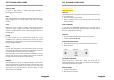
Set up date & time manually
1. Select Settings > System > Date & time.
2. Tap on Automatic date & time > off.
3. Tap on Set date or Set time.
4. Set the date, the hour and minute.
5. Confirm with OK.
MANAGE YOUR PHONE
31
Set up time zone manually
1. Select Settings > System > Date & time.
2. Deactivate the Automatic time zone if activated.
3. Tap on Select time zone.
4. Select a time zone.
CALL SETTINGS
Set up ringtone for incoming calls
1. Select Settings > Sound & notification
2. Tap on Settings of General.
3. Tap on Phone ringtone to set the ringtone.
4. Confirm with OK.
Set up ringtone for incoming notifications / messages
1. Select Settings > Sound & notification.
2. Tap on General Settings.
3. Tap on Default notification sound.
4. Select a sound / ringtone for the notification/messages.
5. Confirm with OK.
Set up system tones
1. Select Settings > Sound & notification.
2. Tap on General Settings.
3. Tap to activate Vibrate / Dial pad touch tones / Screen lock
sound / Touch sounds / Vibrate on touch.
TIP:
To switch off tone vibration completely (also during text input),
you have to switch off Vibrate on key tap on Language &
input > Android Keyboard (AOSP) > Preferences > tap on
Vibrate on keypress to deactivate it.
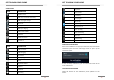
SET UP VOLUME
When playing music or video, press the VOLUME button (up or
down) on the right panel to adjust the volume. A bar, which
displays the volume will appear on the screen.
Change the media volume in the system settings as well:
1. Select Settings > Sound & notification.