
Operation Manual






GET TO KNOW YOUR PHONE
18
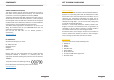
INSTALL BATTERY
Your device is equipped with a rechargeable lithium-ion battery
and is designed to use only manufacturer-approved batteries and
accessories. Battery performance depends on many factors,
including network configuration, the phone operating room
temperature, selected and used functions and settings, patterns of
use of sound, data and other applications. The new battery in the
phone is only half charged. Please charge the battery fully before
use.
Align the battery’s exposed copper contacts with the battery
connectors inside the battery compartment.
Insert the contact’s side of the battery first then gently push
the battery into place.
CLOSING
Replace the back cover clicking it back into position.
CHARGING THE PHONE
The battery is partially charged when shipped. Before you turn
on and start using your phone, it is recommended that you fully
charge the battery. Some batteries perform best after several
times of full charge/discharge cycles.
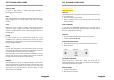
Connect the power adapter and the USB connector of your
phone with the USB cable.
GET TO KNOW YOUR PHONE
19
Plug in the power adapter into an electrical outlet.
TIP:
Use the following tips to improve your battery performance:
Before first use, charge your device 100%, as the battery is
partially charged when shipped.
Charge the device frequently as some batteries perform best
after several times of full charge / discharge cycles.
Disable all data connection over mobile network, if there is
not internet access.
Deactivate Bluetooth™ and WLAN if unnecessary.
Extend the interval of the synchronization frequency (e.g.
synchronization of e-mail, calendar, and contacts). Remove the
protective film before using the phone.
Do not repair a damaged screen yourself, because this may
cause damage that is not covered under the warranty.
USING THE TOUCH SCREEN
To protect your phone the device is supplied with a protective film
on the screen. You should peel off this film before using it, as the
film may result in impairment.
The screen is made of glass. Please do not touch it if the display is
cracked or broken. Do not try to repair a damaged screen yourself.
Also, be careful not to drop the device. A negligent handling is not
covered by Phicomm warranty. There are several ways to use your
phone:
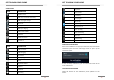
TAP
To type using the keyboard, select items on screen such as
applications or setting icon or press on screen buttons simply then
tap them with your finger.
TAP AND HOLD
To open the available options for an item (for example a contact or
link in a web page) simply press and hold the item.