
Operation Manual






GET TO KNOW YOUR PHONE
16
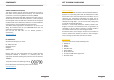
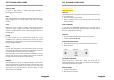
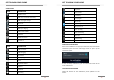
1. Data Line Interface
2. Headset socket
3. Receiver
4. L&P Sensor
5. Front Camera Lens
6. Front Flash light
7. LED Indicators
8. Volume Control Key (+)
9. Volume Control Key (-)
10. Power Key
11. Rear Camera Lens
12. Rear Flash light
13. Fingerprint
14. Microphone
15. Speaker
GET TO KNOW YOUR PHONE
17
ASSEMBLING
OPEN
Make sure your phone is turned off.
Remove the back cover.
Hold the lower left quarter of the back cover up with your
thumbs or fingers and remove it from the opening.
INSERT SIM CARD
Insert the SIM card into the slot with the gold contacts facing
down and the cut-off corner facing inside.
Your phone is operating with Dual SIM; two SIM cards can be
installed at the same time. SIM1 slot does support 2G/3G/4G
cards, while SIM2 only support 2G cards.
INSERT MICRO SD CARD (OPTIONAL)
Make sure the phone is turned off.
Insert the microSD card into the slot with its gold contacts
facing down.