
Reference Manual


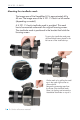


The Hasselblad H1 incorporates a display which displays
information of the actual condition of the camera. It shows flash
method, lens use, trigger setting, f-stop value, exposure time etc.
The Hasselblad H 1 will also display some camera back specific
conditions in this display.
Camera back ISO setting is displayed. ISO 50, 100,
200 or 400, 800 can be set on the camera back or in
the Capture One Application if shooting tethered.
Error messages like ”Storage media full” will also be
displayed.