
Digital Camera Operating Manual Optio MX

93
6
Recording and Playback Sound
Playing Back Sound
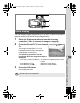
You can play back the sound files you made in Voice Recording mode.
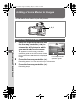
1 Press the Q button.
2 Use the four-way controller (45) to choose a sound
file to play back.
3 Press the four-way controller (2).
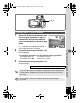
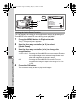
Playback starts.
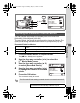
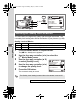
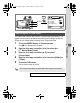
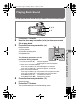
1 Index position
2 Total file recording time
3 Playback time
The following operations can be
performed during playback.
Four-way controller (2) Pauses playback
Press again to resume playback
If there are no recorded indexes:
Four-way controller (4) Rewinds approx. 5 seconds
Four-way controller (5) Advances approx. 5 seconds
If there are recorded indexes:
Four-way controller (4) Plays back from the previous index
Four-way controller (5) Plays back from the next index
Zoom/f/
y lever (x) Increases the volume
Zoom/f/
y lever (w) Reduces the volume
4 Press the four-way controller (3).
Playback stops.
5 Press the Q button.
The camera switches to Voice Recording mode.
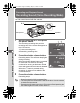
2, 3, 4
1, 5
##
0067
0 0 6 7
-
101
1 0 1
25
2 5
:14
1 4
41
4 1
:: 01
0 1
00
0 0
25
2 5
:: 03
0 3
00
0 0
410100
250300
0067
-
101
25:14
::
:
:
07/25/2004
0 7 / 2 5 / 2 0 0 4
07/25/2004
231
e_kb353.book Page 93 Monday, May 31, 2004 3:05 PM