
Digital Camera Operating Manual Optio MX

43
3
Common Operations
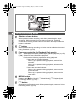
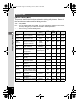
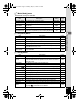
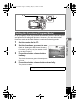
•The [A Rec. Mode] menu appears when you press the MENU
button in Capture mode, and the [Q Playback] menu appears
when you press the MENU button in Playback mode.
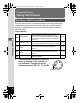
• You can change the menu displayed on the LCD monitor to the
[A Rec. Mode], [C Movie Mode], [Q Playback] or [B Set-up]
menu by pressing the zoom lever.
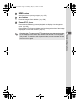
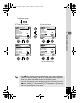
[Q Playback] Menu
MENU
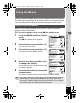
Start
OK
Playback
Quick Delete
3 sec
Exit
OffOff
Slideshow
Resize
Trimming
Digital Filter
Quick Zoom
Playback
MENU
Quick Delete
3 sec
Exit
OK
OK
OffOff
Slideshow
Resize
Trimming
Digital Filter
Quick Zoom
To the next screen
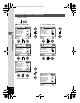
Set-up
MENU
Norm.Norm.
EnglishEnglish
DISPLAY
Exit
OK
OK
Format
Sound
Date Adjust
World Time
OffOff
MENU
Norm.Norm.
Set-up
EnglishEnglish
DISPLAY
Exit
OK
OK
Format
Sound
Date Adjust
World Time
OffOff
[B Set-up] Menu
MENU
Playback mode
e_kb353.book Page 43 Monday, May 31, 2004 3:05 PM