
Operation Manual




94
3
Taking Pictures
4
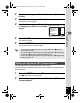
Press the shutter release button fully.
Recording starts. You can continue recording until the built-in memory
or the SD Memory Card is full, or the size of the recorded movie
reaches 2 GB.
5
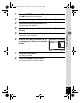
Press the shutter release button fully.
Recording stops.
If you keep the shutter release button pressed for more than one second,
recording will continue as long as you keep the button pressed. Shooting
stops when you take your finger off the shutter release button.
You can choose from five recorded pixels settings for movies: F, ,
, and .
The more pixels there are, the clearer the details and the bigger the file
size. 24fps will give smoother movies than 15fps, but file size will
increase.
The default setting is F (1280×720, 15fps).
• The flash does not discharge in C (Movie) mode.
• The focus mode can be changed before recording starts.
• You can use the optical zoom only before recording, while the digital
zoom is available both before and during recording.
• When the shooting mode is set to C (Movie), Face Priority is
automatically set to on. You can select Face Priority Off by pressing
the I button before starting recording a movie (p.61).
Playing Back a Movie 1p.101
Keeping the Shutter Release Button Pressed
Selecting the Recorded Pixels for Movies
F (1280×720, 15fps)
Records movies in HDTV format.
(640×480, 24fps),
(640×480, 15fps)
Suitable for viewing on a TV or computer screen.
(320×240, 24fps),
(320×240, 15fps)
Suitable for posting on a website or attaching to e-mail.
640
242424
24
15
15
24
24
640
151515
15
320
24
242424
15
15
24
24
320
15
151515
640
242424
24
15
15
24
24
640
151515
15
320
24
242424
15
15
24
24
320
15
151515
e_kb496.book Page 94 Wednesday, July 15, 2009 10:23 AM