
Operation Manual



78
3
Taking Pictures
In Self-timer mode, the picture is taken ten seconds or two seconds after
the shutter release button is pressed.
Stabilize the camera with a tripod when taking a picture with the self-timer.
1
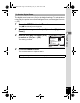
Press the four-way controller (2) in A mode.
2
Use the four-way controller
(453) to select g or Z and press
the 4 button.
The camera is ready to take the picture
using the self-timer.
When the camera recognizes a face, the
Face Recognition function is activated and
the face recognition frame appears (p.61).
3
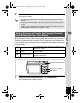
Press the shutter release button halfway.
The focus frame on the display turns green when the camera focuses
on the subject at the correct distance.
4
Press the shutter release button fully.
The picture is taken ten seconds or two seconds later.
Using the Self-timer
g
Use this mode when you want to be included in a group picture. The picture
is taken approximately ten seconds after the shutter release button is pressed.
Z
Use this mode to avoid camera shake. The picture is taken approximately two
seconds after the shutter release button is pressed.
Focusing may be compromised if you move the camera while the self-
timer lamp is blinking when taking still pictures.
Shutter release button
Four-way controller
4 button
D r i v e M o d eD r i v e M o d e
Drive Mode
S e l f - t i m e rS e l f - t i m e r
Self-timer
OK
O KO K
OK
MENU
C a n c e lC a n c e l
Cancel
e_kb496.book Page 78 Wednesday, July 15, 2009 10:23 AM