
Operation Manual




98
3
Taking Pictures
1
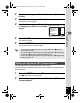
Press the 3 button in A mode.
The [A Rec.Mode] menu appears.
2
Use the four-way controller (23) to select [Memory].
3
Press the four-way controller (5).
The [Memory] screen appears.
4
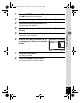
Use the four-way controller (23)
to choose an item.
5
Use the four-way controller (45) to select O (On) or P
(Off).
6
Press the 3 button twice.
The camera returns to capture status.
Memory
MENU
F ace Pri ority
Flash Mode
D r i v e Mode
F ocu s Mode
Z oom Position
S e nsitiv ity
1 / 2
e_kb496.book Page 98 Wednesday, July 15, 2009 10:23 AM