
K-50 Digital Camera Manual


Table Of Contents
- For Using Your Camera Safely
- Care to be Taken During Handling
- Contents
- Composition of the Operating Manual
- 1 Before Using Your Camera
- 2 Getting Started
- 3 Basic Operations
- 4 Shooting Functions
- 5 Shooting Settings
- 6 Playback Functions and Image Editing
- 7 Changing Additional Settings
- 8 Connecting to a Computer
- 9 Using the Flash
- 10 Appendix
71
Basic Operations
3
1
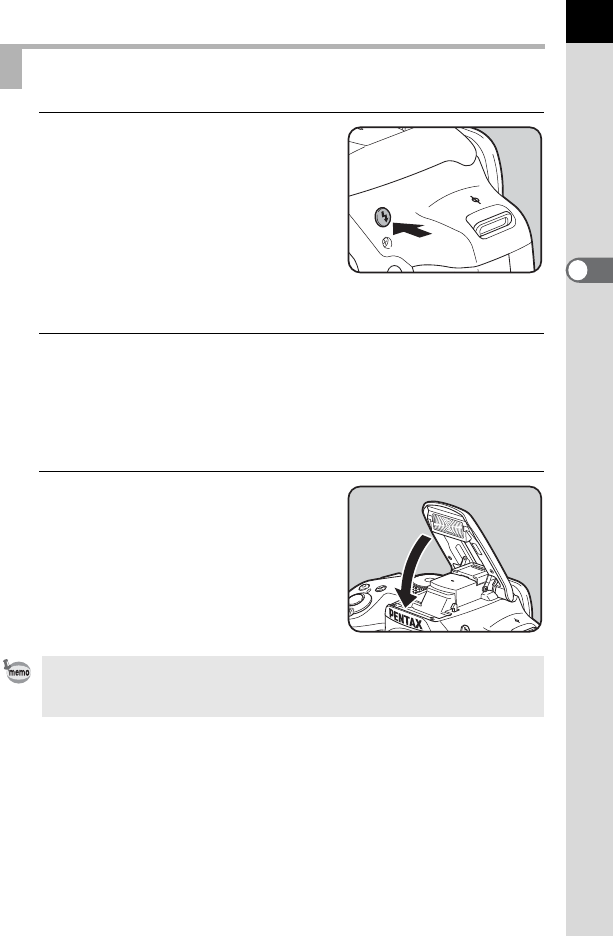
Press the E button.
The built-in flash pops up and begins
charging. While the flash is charging, E
blinks in the viewfinder or Live View
screen.
When the flash is fully charged, E stops
blinking and stays lit continuously.
When you do not want the flash to
discharge, keep the built-in flash retracted.
2
Take a picture.
The flash discharges.
When the flash mode is set to C or i, the flash is not discharged if the
lighting conditions do not require flash for correction even when the flash
is popped up.
3
Push down on the top of the flash
to retract the built-in flash.
Using the Built-in Flash
By default, you cannot take pictures while the built-in flash is being charged. If
you want to take pictures while charging the built-in flash, set [16. Release
While Charging] to [On] in the [A Custom Setting 3] menu.